

Check new Google Sheets rows for data problems
Build a Kovca workflow that starts when a Google Sheets row is added, checks the cells against rules you write, and appends a review row when the status is not valid.
A team keeps records in a Google Sheet: form responses, vendor or product rows, sign-ups. New rows show up with a missing name, an email that is not an email, a date written the wrong way, or a number outside the range you accept. Nobody notices until a later import or a report breaks.
This guide builds a workflow that starts from a new row, checks the cells against rules you write, and appends one review row when the status is not valid. A valid row is left where it is. You'll start from a template, test it, and activate it on the Google Sheets account.
The template already uses the Google Sheets New rows trigger and Append rows. It does not store a Google account. You choose the account when you activate. Until then the draft saves, and Studio tests simulate Append rows.
New rows does not name the columns. row_data is a list of strings, in sheet order. This template treats four cells as a sign-up: email, an ISO date, a name, and a seat count. Rewrite that mapping for your own columns. The trigger's own sample is a different row, so don't run that sample against these rules and expect a sign-up.
Data Quality Intelligence has no rule for "this key already exists on another row." Look up a row can search for an exact cell, and its catalog result does not name the fields inside result. This template does not add that step. The last section says what you would be adding.
If someone already scans the sheet, or a data-validation rule on the column is enough, that is less machinery than this. The workflow is for the sheet where bad rows sit until something downstream fails.
What you'll build
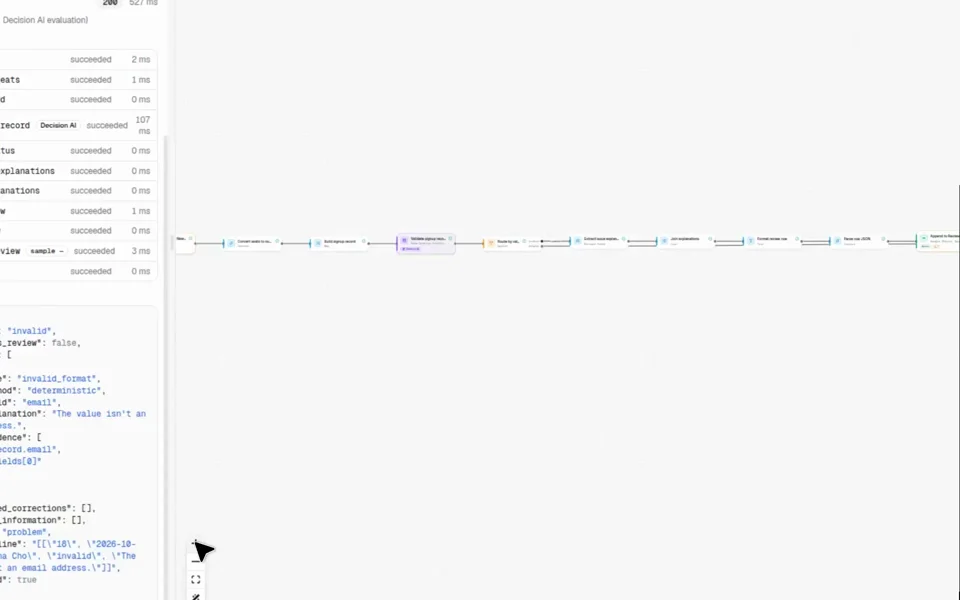 The draft runs from New rows through Data Quality Intelligence to Append rows.
| Step | Node | What it does |
|---|---|---|
| Input | Google Sheets: New rows (googlesheets/new_rows) | Starts the workflow. The event fields are detected_at, row_data, row_number, sheet_name, and spreadsheet_id. |
| Seat count | Convert | Turns cell 4, which arrives as text, into a number. |
| Row record | Map | Builds the record: email, signed_up_on, name, and seats. |
| Data Quality Intelligence | Decision AI | Checks that record against the rules you write. Returns status, issues, missing_information, and suggested_corrections. |
| Problems? | Switch | problem when status is invalid, warnings, or requires_review. valid is default. |
| Explanations | Extract Field | On the problem branch. Takes each issue's explanation. |
| Reasons | List | Joins those explanations with ; . |
| Review line | Text | One JSON row: row number, sheet, the four cells, status, and the reasons. |
| Review rows | Convert | Parses that JSON into the array Append rows needs. |
| Append review row | Google Sheets Append rows (action:googlesheets/append_rows@1) | Appends that row at Review!A1. Sent once. |
| Output | Output | Returns the check, the route, the review line, and whether the row was appended. |
The default branch goes straight to Output. A valid row is not written to the review tab.
Watch the test
Watch the Studio test (MP4). It is a screen recording of the production Studio, in light mode. The picture is labeled Studio test; Google Sheets action simulated. Idle time and the typing of the test input are cut. Nothing that remains is sped up. No Google account is connected, and Send real requests stays off. Append rows returns its sample and is marked sample. That is not a skipped step, and it is not a row written to a spreadsheet.
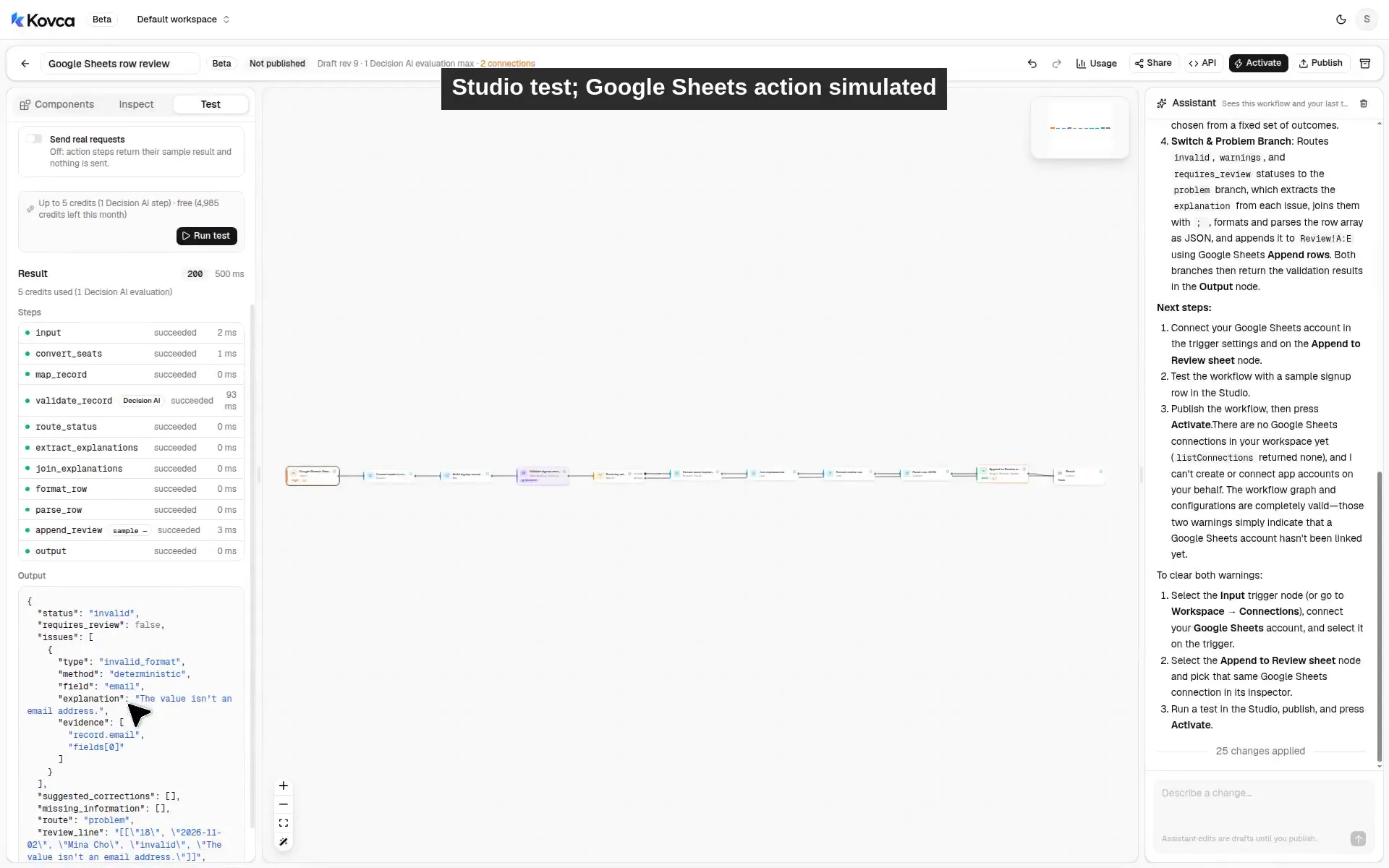 Studio test; Google Sheets action simulated. Status is invalid. Append rows succeeded as a sample, so appended true is the sample ok, not a sheet write.
The recording follows these steps:
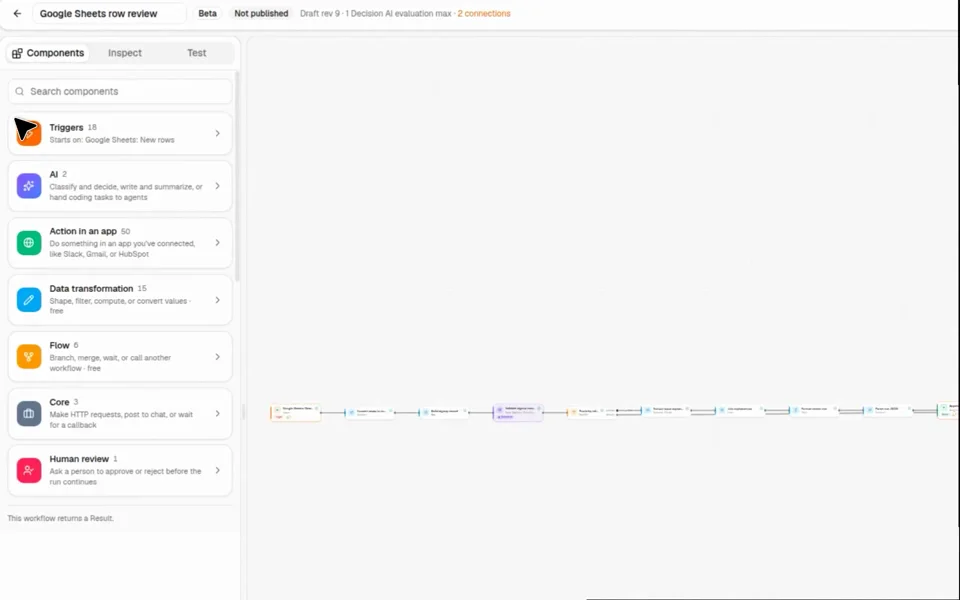
- Open the component library, then Google Sheets under Triggers. New rows is one of the sheet triggers.
- Open Google Sheets under Action in an app. Append rows and Look up a row are in that list.
- Select New rows. No account is chosen. Sheet name is Signups. Start at row is 2.
- Open Activate. The checklist says up to 17 credits per event, and Connect Google Sheets is still to do.
- In Test, the input is the Mina Cho row (
mina.cho@, row 18). Send real requests is off. Run. The status isinvalid. Append rows succeeded and is marked sample, soappendedis true from that sample. No row was written to a sheet.
Build it in the Studio
1Start from the template
Click Use this template above, or open Google Sheets row review in Workflows.
The draft opens on the canvas. The components library is on the left. Triggers, AI, Action in an app, Data transformation, Flow, Core, and Human review are the groups. This workflow uses Google Sheets, so Google Sheets is under Triggers and under Action in an app. Apps you have not connected, and that this workflow does not use, stay behind Connect another app. The pictures below are the production Studio: that library, the New rows settings, and a test of the Mina Cho row. The template's step titles are the ones in the table above.
 The library home. Google Sheets is inside Triggers and Action in an app.
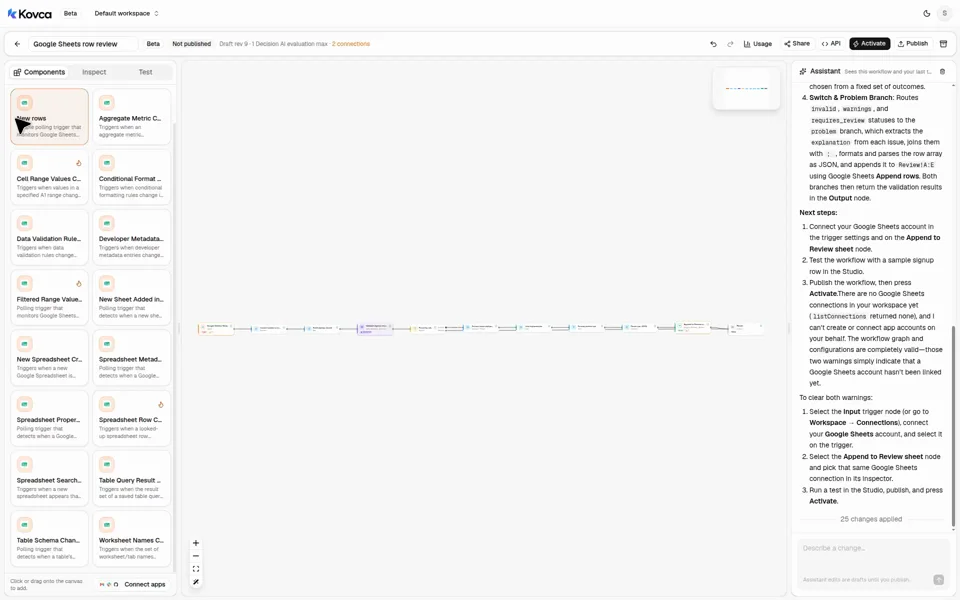 New rows is one Google Sheets trigger, in a list of sheet triggers.
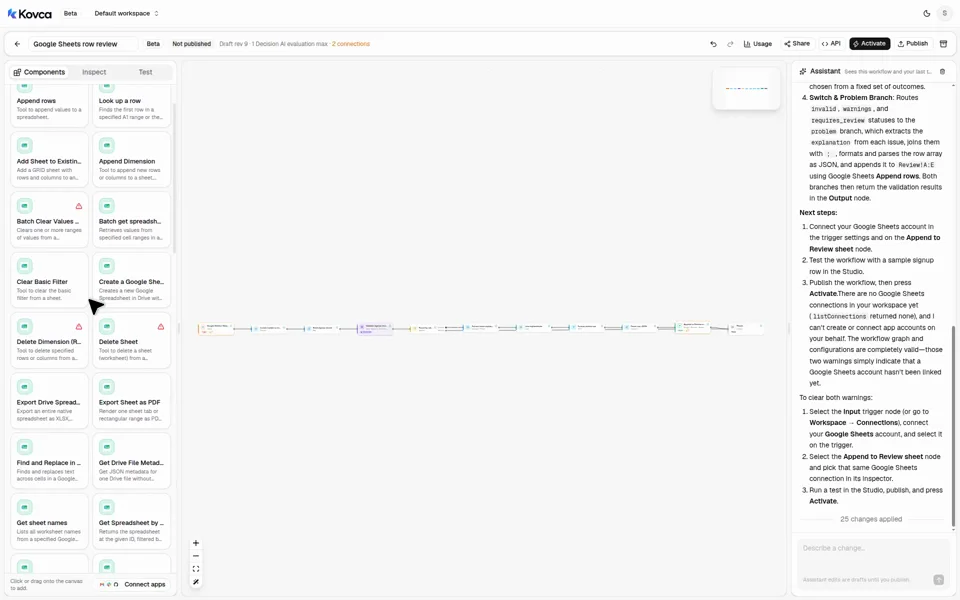 Append rows and Look up a row are in the Google Sheets action list.
 The draft is not callable until you publish it. The Google Sheets account is still to choose.
2The workflow starts from a new row
Select the input step. It is Google Sheets: New rows, not an API request. The account line asks you to connect Google Sheets. Leave it empty while you test.
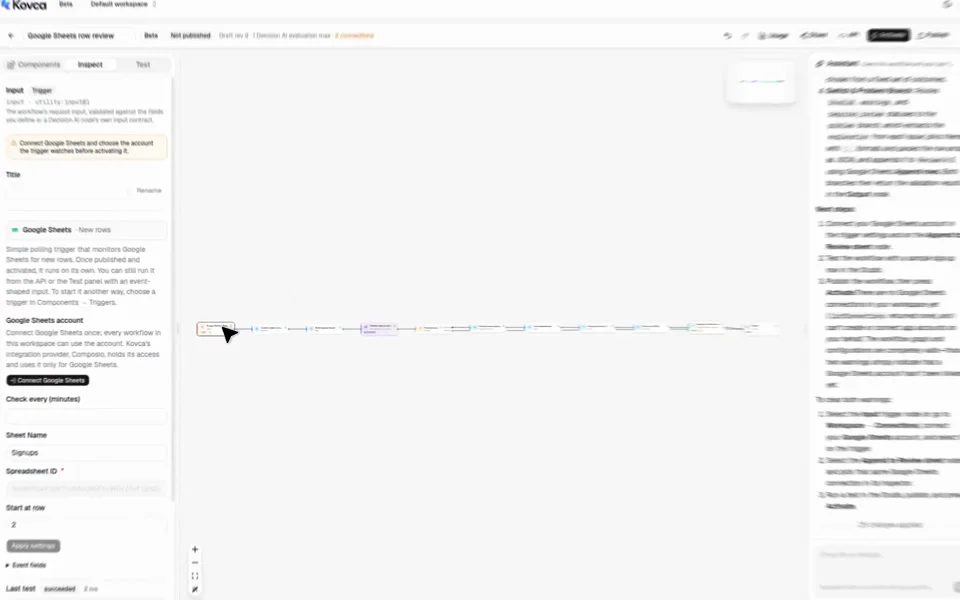 No Google Sheets account is selected. Spreadsheet ID, sheet name, and start row are set. Check every is unset.
| Setting | Template value |
|---|---|
Spreadsheet ID (spreadsheet_id) | 1hX9cR2aV3bK7mN4pQ8sT6uW0yZ5eF1gH2iJ3kL4mN5o |
Sheet name (sheet_name) | Signups |
Start at row (start_row) | 2 |
Check every (minutes) (interval) | unset |
Spreadsheet ID is required. The value above is the id in the trigger's sample event, so the draft is valid before you connect. Replace it with your spreadsheet before you activate. With an account connected, the field can list that account's spreadsheets. Sheet name is the tab to watch. Start at row is 1-indexed. 2 skips a header on row 1. The template leaves Check every (minutes) unset.
Event fields later steps read:
| Field | Used for |
|---|---|
input.row_data | The cells, as a list of strings. Cell 1 is row_data[0]. |
input.row_number | The review row |
input.sheet_name | The review row |
input.spreadsheet_id | Append rows, so the review row goes to the same spreadsheet |
input.detected_at | Not read by this template |
row_data is a list of strings, at most 100 cells. A row_data value that is not a list of strings is left off the event. The cells are then empty, and the required checks fail.
The same delivery does not start two runs. New rows does not name an event id field, so Kovca uses the delivery id. A later delivery for the same sheet row is a new event.
3Turn the seat cell into a number
row_data items are strings. A number check on the text "2" fails, because the value is not a number. Seat count converts cell 4 first.
| Seat count | Value |
|---|---|
| Value | input.row_data[3] |
| To | number |
"2" becomes 2. "nope" becomes null, and a required seats field is then missing. The range check in the next step runs only after this conversion.
4Build the record the node reads
Select Row record. Data Quality Intelligence's record has to be an object. The map builds one.
| Key | Source |
|---|---|
email | input.row_data[0] |
signed_up_on | input.row_data[1] |
name | input.row_data[2] |
seats | nodes.seats.output.result |
Change the keys and the cells to match your sheet. A path such as email or signed_up_on is what the rules refer to. The event does not have those names until this step creates them.
5Put your rules in
Select Data Quality Intelligence. record comes from Row record. record_type and fields are fixed values.
record_type is signup. It is a label, at most 100 characters. Rewrite it for your records.
[
  { "path": "email", "type": "email", "required": true },
  { "path": "signed_up_on", "type": "date", "required": true },
  { "path": "name", "type": "string", "required": true },
  { "path": "seats", "type": "integer", "required": true, "min": 1, "max": 50 }
]
A field type is string, number, integer, boolean, date, email, url, or enum. This template uses email, date, string, and integer.
| Check | What fails |
|---|---|
required | The value is missing or empty. |
email | The text is not an email address. |
date | The text is not an ISO 8601 date, such as 2026-11-02. 11/02/2026 fails. |
integer with min and max | The value is not a whole number, or it is outside 1 to 50. |
11/02/2026 is not a date this node accepts. A seat count of 80 is a number and is outside 1 to 50, so the explanation is "The value is outside the allowed range." A seat count that is not a number never reaches that check.
The node also returns requires_review, missing_information, and suggested_corrections. A whitespace-only fix for an email, or an allowed value that differs only by case, can come back as a suggested correction. mina.cho@ has no such correction.
status is decided like this:
| Status | When |
|---|---|
invalid | A field or rule check failed in code. |
warnings | No code check failed, and an interpretive finding was reported. |
requires_review | No code check failed, and an interpretive finding was uncertain. |
valid | Nothing was found. |
An interpretive finding does not by itself make the status invalid. The template does not set rules, expected_relationships, or context. Those are optional. rules accepts date_before, equals, and required_with, up to 30. expected_relationships is a list of sentences, up to 15.
6Decide what counts as a problem
Select Problems?. The switch reads nodes.check.output.status and continues on the first matching case.
| Case | Matches | Goes to |
|---|---|---|
problem | invalid, warnings, requires_review | Explanations |
default | valid, and anything else | Output |
A valid row does not get a review row. warnings and requires_review do. If you only want code failures on the review tab, match invalid alone.
7Append the review row
Explanations, Reasons, Review line, Review rows, and Append review row run only on problem.
Explanations takes explanation from each issue. Reasons joins that list with ; .
Review line is this template:
[["{{input.row_number}}","{{input.sheet_name}}","{{nodes.record.output.email}}","{{nodes.record.output.signed_up_on}}","{{nodes.record.output.name}}","{{nodes.record.output.seats}}","{{nodes.check.output.status}}","{{nodes.reasons.output.result}}"]]Review rows parses that text as JSON. Append rows needs a two-dimensional array in values. For Mina Cho the line is:
[["18","Signups","mina.cho@","2026-11-02","Mina Cho","2","invalid","The value isn't an email address."]]
Every cell is text, including the row number and the seat count. A double quote or a backslash in a cell breaks this JSON. The parse then returns null, Append rows rejects the input, and the run stops. The explanations this node writes do not contain a double quote. A name or an email that contains one does.
Append review row is Google Sheets' Append rows action.
| Append rows field | Value |
|---|---|
Spreadsheet ID (spreadsheet_id) | input.spreadsheet_id |
Sheet or range (range) | Review!A1 |
Rows (values) | nodes.rows.output.result |
Value input (value_input_option) | RAW |
range and value_input_option are required. The label names RAW and USER_ENTERED. The template uses RAW. Create a tab the range can append to, or change Review!A1 to a tab you have. If it fails is Stop the run. Append rows is not idempotent: it is attempted once, and Kovca does not retry it. A second run with a new idempotency key can append another row. Choose the Google Sheets account on this step before you activate. Studio tests simulate it and do not append a row. The simulated result is ok: true and result: {}. This template reads ok only. It does not read inside result, because the catalog does not name those fields.
8Test it
Open the Test tab. Mina Cho and Luis Ortega are the template's examples. Sample new rows is the trigger's own sample, which is not this column layout. Leave Send real requests off. Append rows then returns its sample and is marked sample. Nothing is written to a spreadsheet. That sample is not what a published API call returns. The Test panel still charges Data Quality Intelligence when that step succeeds. It does not charge the run fee, and it does not charge a simulated Append rows. See What it costs.
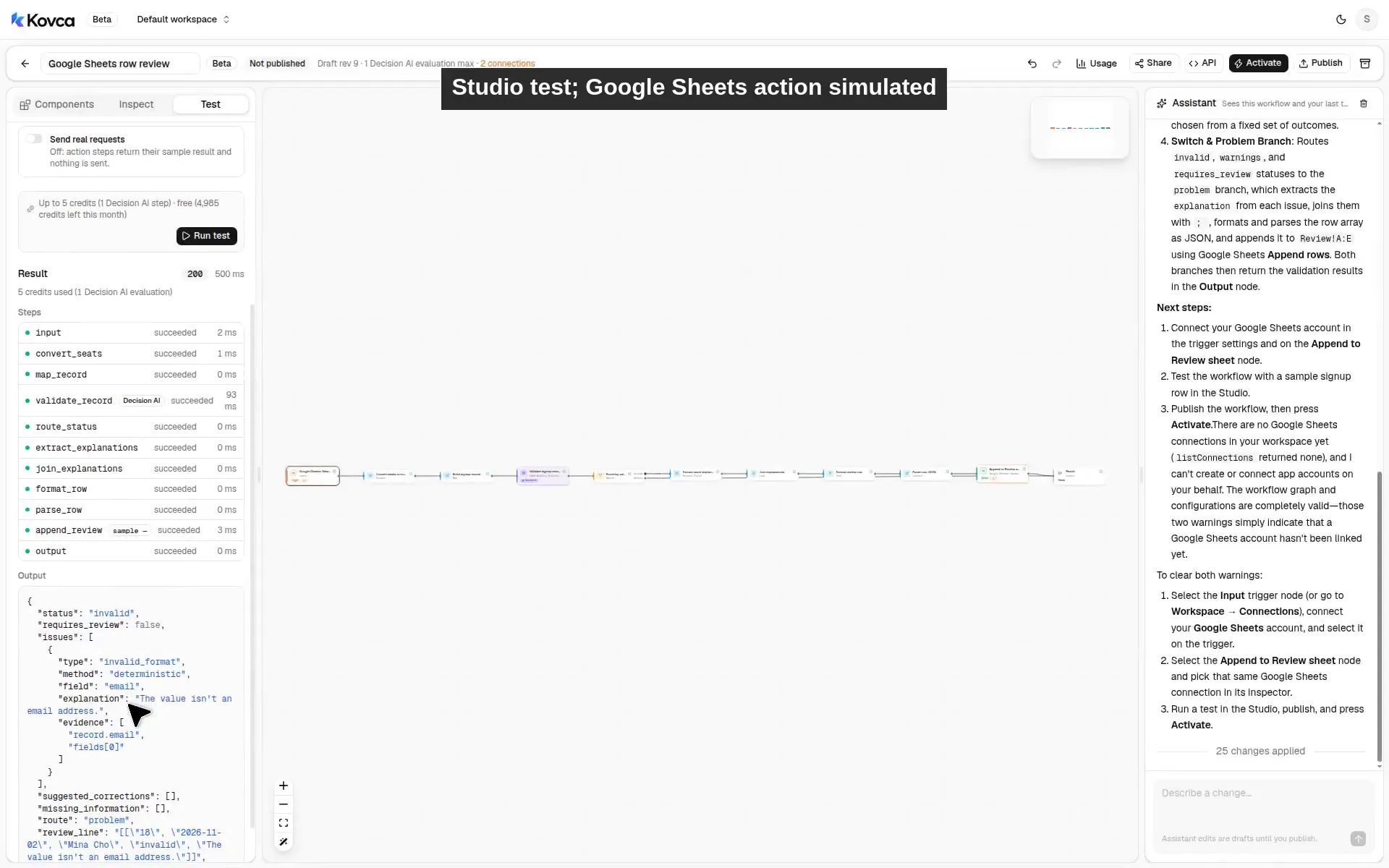 Studio test; Google Sheets action simulated. Append rows is marked sample and succeeded. appended true is the sample ok, not a sheet write.
Mina Cho's email is mina.cho@, so the status is invalid and the route is problem. Luis Ortega's email is luis@example.com, the date is 2026-11-02, the name is present, and seats is 2. That run takes default. Explanations is skipped, and the later review steps are skipped with it. review_line and appended come back null.
Before you activate, run rows you have actually seen, including ones that should pass and ones that should not. When the routes look right, turn on Send real requests once, with the Google Sheets account chosen, on a spreadsheet where an extra review row is harmless.
Publish, call it, and activate it
The same workflow can be called over the API. The body uses the trigger's field names. Create an API key under API keys and keep it on your backend.
curl https://kovca.io/api/v1/workflows/wf_.../execute \
  -H "Authorization: Bearer $KOVCA_API_KEY" \
  -H "Content-Type: application/json" \
  -H "Idempotency-Key: signups-18" \
  -d '{
    "input": {
      "detected_at": "2026-11-02T14:05:00Z",
      "row_data": ["mina.cho@", "2026-11-02", "Mina Cho", "2"],
      "row_number": 18,
      "sheet_name": "Signups",
      "spreadsheet_id": "1hX9cR2aV3bK7mN4pQ8sT6uW0yZ5eF1gH2iJ3kL4mN5o"
    }
  }'
That curl calls a published workflow. The call runs Append rows for real. The step needs the Google Sheets account you chose on it. If that account is missing, Append rows fails and, with If it fails set to stop, the run stops. A published call does not return the sample you see with Send real requests off.
The JSON below is the output this template's unit test expects when Append rows is simulated. It is not a response from a published API call, and it is not the exact review_line on the Studio recording. In the example, appended is true because the simulated step's sample has ok: true. That does not mean a row was written to a sheet. The review line in the example is Review line filled in from the Mina Cho row. What Data Quality Intelligence returns depends on the cells and the rules. Luis Ortega's row takes default, and review_line and appended come back null.
The recording was made from a Studio draft whose review line is shorter than this template's, so the text in that Test panel is not the review_line string below. The panel still shows status invalid, the email issue, route problem, and Append rows succeeded and marked sample. The step was not skipped.
{
  "request_id": "req_...",
  "run_id": "run_...",
  "workflow": { "id": "wf_...", "version": 1 },
  "status": "succeeded",
  "output": {
    "status": "invalid",
    "requires_review": false,
    "issues": [
      {
        "type": "invalid_format",
        "method": "deterministic",
        "field": "email",
        "explanation": "The value isn't an email address.",
        "evidence": ["record.email", "fields[0]"]
      }
    ],
    "missing_information": [],
    "suggested_corrections": [],
    "route": "problem",
    "review_line": "[[\"18\",\"Signups\",\"mina.cho@\",\"2026-11-02\",\"Mina Cho\",\"2\",\"invalid\",\"The value isn't an email address.\"]]",
    "appended": true
  },
  "steps": [
    { "id": "input", "status": "succeeded" },
    { "id": "seats", "status": "succeeded" },
    { "id": "record", "status": "succeeded" },
    { "id": "check", "status": "succeeded" },
    { "id": "route", "status": "succeeded" },
    { "id": "explanations", "status": "succeeded" },
    { "id": "reasons", "status": "succeeded" },
    { "id": "line", "status": "succeeded" },
    { "id": "rows", "status": "succeeded" },
    { "id": "append", "status": "succeeded" },
    { "id": "output", "status": "succeeded" }
  ],
  "evaluations": 1
}
Look up the run later. This returns status, timing, and steps. It does not return the output. Keep the execute response if you need the cells or the issues. Runs are kept for 30 days.
curl https://kovca.io/api/v1/runs/run_... \
  -H "Authorization: Bearer $KOVCA_API_KEY"
signups-18 is a key you choose. New rows does not give you an event id to copy. A retry with the same key returns the original run instead of appending another review row. A new key can append again, because Append rows is not idempotent. Kovca does not store the row or the output.
To run it from the sheet, open Activate. The checklist is what's left: connect Google Sheets, and choose that account on the trigger and on Append review row. It says up to 17 credits per event. The activate row is Publish and activate: run on every new rows. That publishes the draft and starts it. A live automation runs that pinned version. Later edits don't reach it until you publish them to the automation.
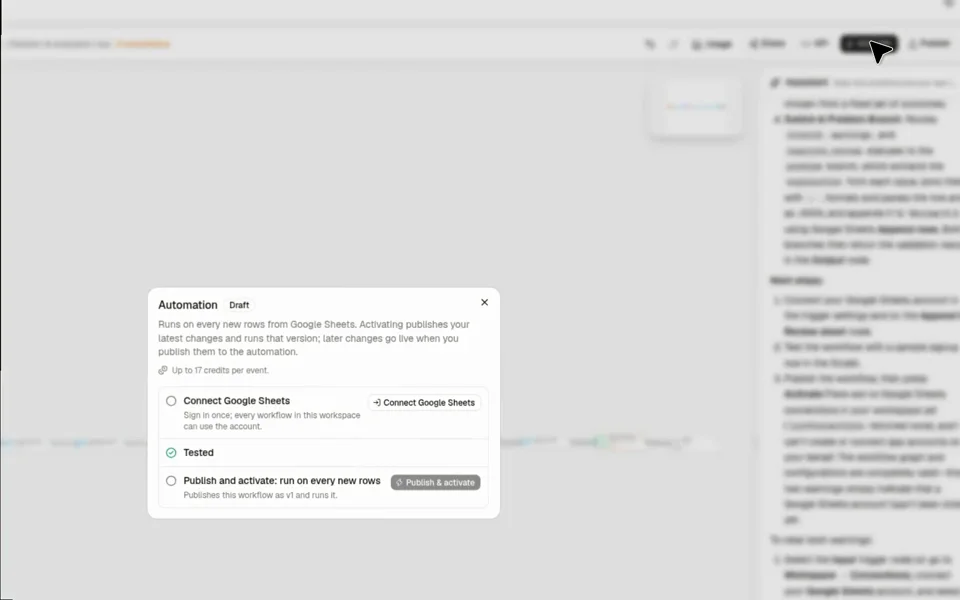 Connect Google Sheets is still to do. Up to 17 credits per event. Publish and activate runs on every new rows.
Connect Google Sheets from the checklist, or from the trigger, when the routes in the Test tab look right. Until then, leave the account empty and keep Send real requests off.
A new row starts a run. Follow runs in Executions. While an automation is paused, events that arrive are skipped. Kovca does not keep them to run later. A failed run is not retried on its own, because the review row may already have been appended.
If someone already checks the sheet
You don't need this if a person can look at new rows and the sheet is small. Google Sheets can put a data-validation rule on a column and warn, or reject the edit. That rule does not start a run, and it does not write a review row on another tab. A filter view, or a script saved in the spreadsheet, can collect the rows a person still has to see.
What the workflow adds is the same rules on every new row, and one review row when the status is not valid. You still choose the Google Sheets account, create the review tab the range names, and read a sample of results before you activate it.
Make it yours
- Map the columns you actually have. Row record is four cells. Point the keys at the positions in your sheet, and rewrite
fieldsto match. A path the record does not have is a missing value when that field is required. - Leave valid rows alone. That is already what
defaultdoes forvalid. Dropwarningsorrequires_reviewfrom the problem case if those should stay on the original tab too. - Add a rule the template does not set.
rulescan say one date is before another (date_before), two fields must match (equals), or one field is required when another is present (required_with). Put that list on Data Quality Intelligence as a fixed value. - Look up a duplicate only after you have seen
result. Look up a row (action:googlesheets/lookup_row@1) takes a spreadsheet id and an exact Find (query). Range and Case sensitive are optional. It returnsokandresult. The sampleresultis{}, and the catalog does not name fields inside it. The description says it finds the first row in the range, or on the first sheet, whose cell matches the query. A search of the tab the new row just landed on can match that same row. This template does not add the step, and it does not treat an emptyresultas "no duplicate." Add it after a test on a sheet you control shows you which field means another row. - Change the review tab.
Review!A1is a fixed value. Point it at the tab you want. Append rows does not invent a tab name for you. - Change it without surprising a live sheet. Edit the draft and publish the changes to the automation. The running version stays pinned until you do.
What it costs
Credits, and only for steps that succeed. Billing is the list.
A Studio test skips the run fee. It does not skip Data Quality Intelligence. That step is 5 credits when it succeeds, including a test with Send real requests off. The Test panel on the recording showed 5 credits for that one step. A simulated action is not charged, and an action that fails is not charged. With Send real requests off, Append rows is simulated, so it adds nothing.
- A Google Sheets event: 10 credits for the run.
- A published API call: 1 credit for the run.
- Data Quality Intelligence: 5 credits when it succeeds.
- Append rows: 2 credits when it runs for real and succeeds, and only on the problem branch.
The switch, the map, the converts, the list, and the text step use no credits. A branch that doesn't run isn't charged. The Activate panel adds every step together, including steps on branches that can't run in the same event, so its number is an upper bound for a live event. With this template that upper bound is 17 credits per event: the 10 credit event fee, Data Quality Intelligence, and a real Append rows. The response's credits field is the run's total. See the workflows API, HTTP actions, and automations.