

Catch Shopify variants going out of stock and start a restock follow-up
Build a Kovca workflow that starts when a Shopify variant's stock hits zero across every location, checks a restock policy you write, and opens a follow-up or leaves a monitor note.
A variant can sell down to zero across every location, and the merchandising team still hears about it from a customer, or from the weekly inventory export. By then that size or color has already been missing from the store.
This guide builds a workflow that starts when a variant's stock crosses to zero, looks up the product, checks the variant against a restock policy you write in plain sentences, and then takes one next step: open a restock follow-up in your ops tool, or leave a short note to monitor it. You'll start from a template, test it, and activate it on the store.
The template already uses the Shopify Variant out of stock trigger and Get product. It does not store a Shopify account. You choose the account when you publish and activate. Until then the draft saves, and Studio tests simulate Get product.
Shopify's triggers cover products and stock. There is no order trigger and no customer trigger, so this workflow does not start from an order. It starts when stock crosses to zero across every location, not on every sale.
If someone already reads the weekly inventory export, that export is less machinery than this. The workflow is for the shop where zero-stock variants sit until a customer writes in.
What you'll build
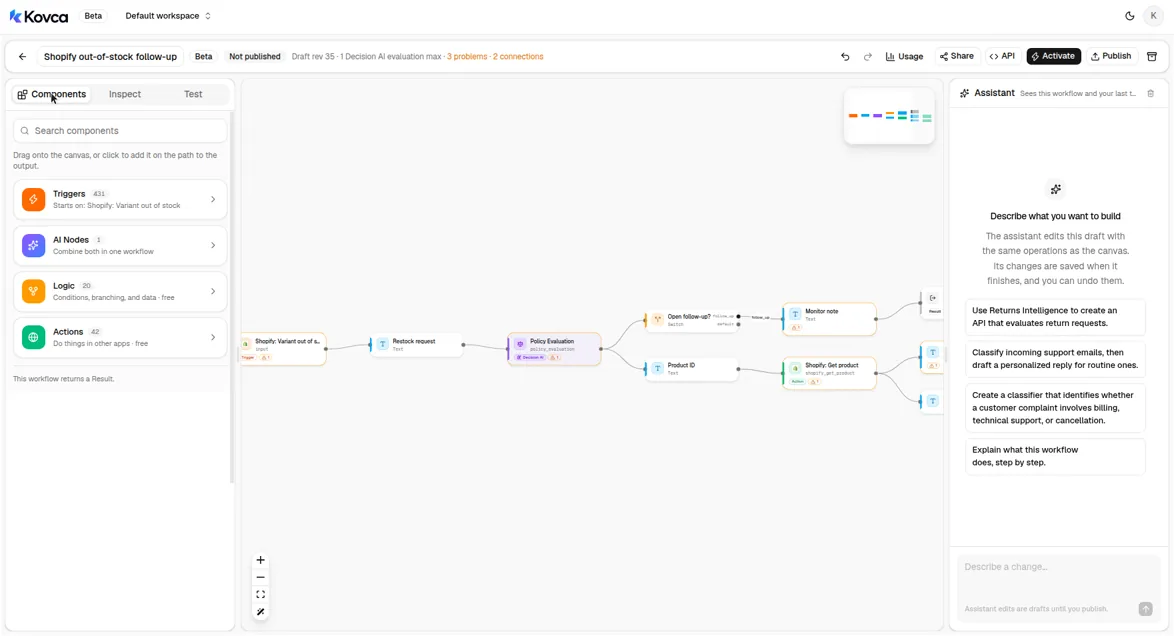 Variant out of stock, Policy Evaluation, then a switch into Get product and Open restock follow-up, or a monitor note.
| Step | Node | What it does |
|---|---|---|
| Input | Shopify: Variant out of stock (shopify/variant_out_of_stock) | Starts the workflow. The event fields are id, product_id, title, sku, price, inventory_item_id, inventory_quantity, old_inventory_quantity, and inventory_policy. |
| Restock request | Text | Writes the request the policy reads, from those event fields. |
| Policy Evaluation | Decision AI | Checks that request against the restock policy and returns decision and suggested_action. |
| Open follow-up? | Switch | follow_up when suggested_action is proceed. Everything else is default. |
| Product ID | Text | On the follow-up branch. Turns the numeric product_id into text, which is what Get product asks for. |
| Get product | Shopify Get product (action:shopify/get_product@1) | Loads the product for that id. |
| Follow-up note | Text | One line the operator can send, and that the follow-up includes. |
| Open restock follow-up | HTTP request | Posts the variant, the note, and the product lookup to your ops tool. |
| Monitor note | Text | On the other branch. A line that says to monitor this variant and not open a follow-up. |
| Output | Output | Returns the decision, the route, and whichever note ran. |
Policy Evaluation does not know your catalog. It reads the sentences you write and the facts the event supplies: the variant title, SKU, price, the quantity before, the quantity now (zero on this trigger), and inventory_policy. deny means the store stops the sale at zero. continue means the store still sells the variant after zero. Get product's result is not one of those facts. It goes on the follow-up so your ops tool has the product record Shopify returned. This template does not pick fields out of that record.
Build it in the Studio
1Start from the template
Click Use this template above, or open Shopify out-of-stock follow-up in Workflows.
The draft opens on the canvas. The components library is on the left. Triggers, AI Nodes, Logic, and Actions are the four groups. Shopify is under Triggers and under Actions.
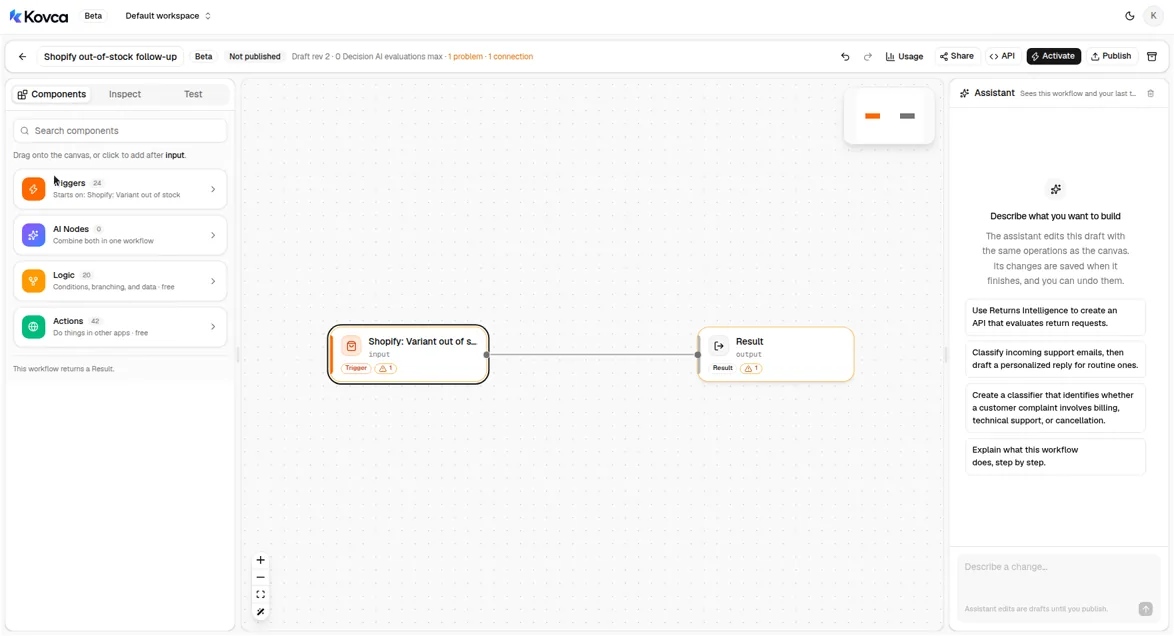 The library home. Shopify is inside Triggers and Actions.
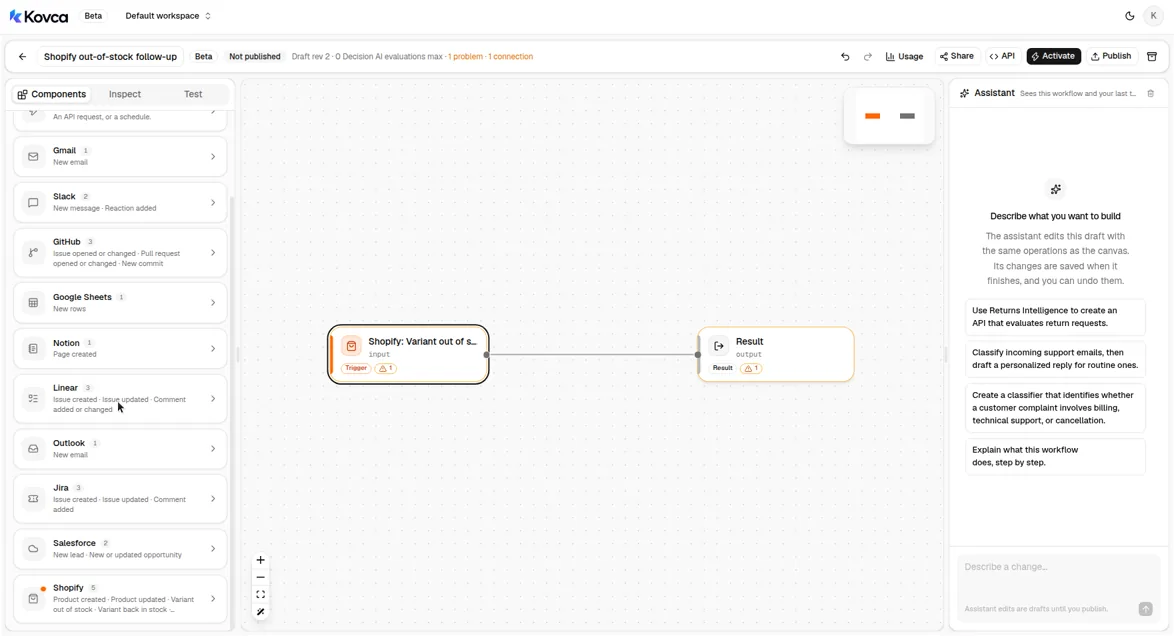 Variant out of stock is one Shopify trigger, next to product and inventory triggers.
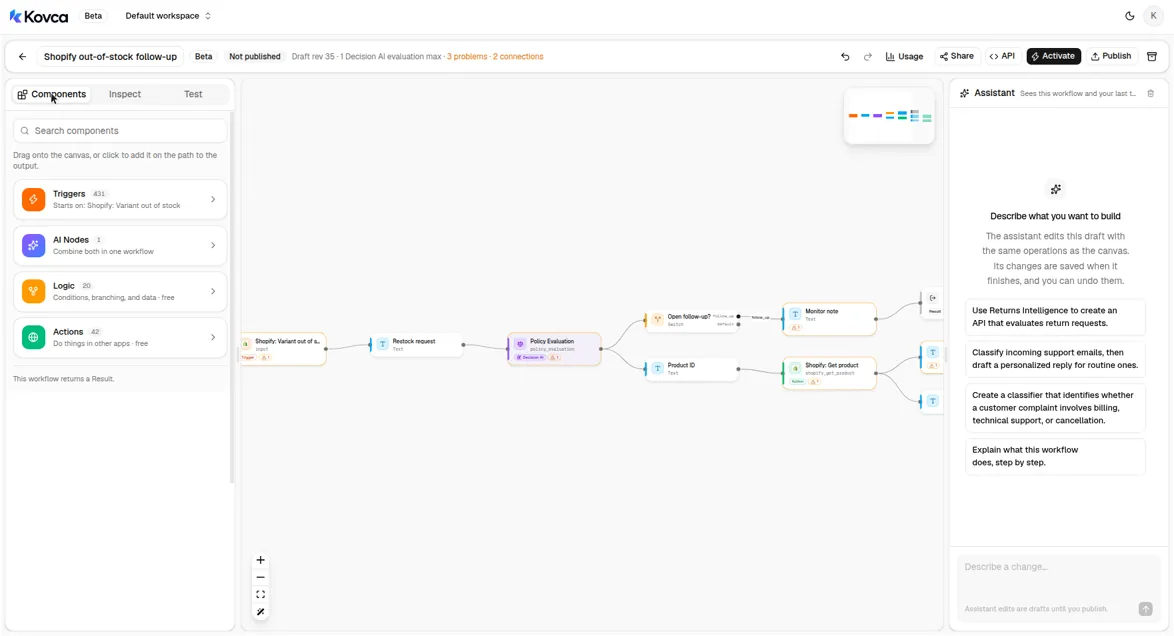 The draft is not callable until you publish and activate it.
2The workflow starts from a variant hitting zero
Select the input step. It is Shopify · Variant out of stock, not an API request. The account line is empty until you connect Shopify. Leave it empty while you test.
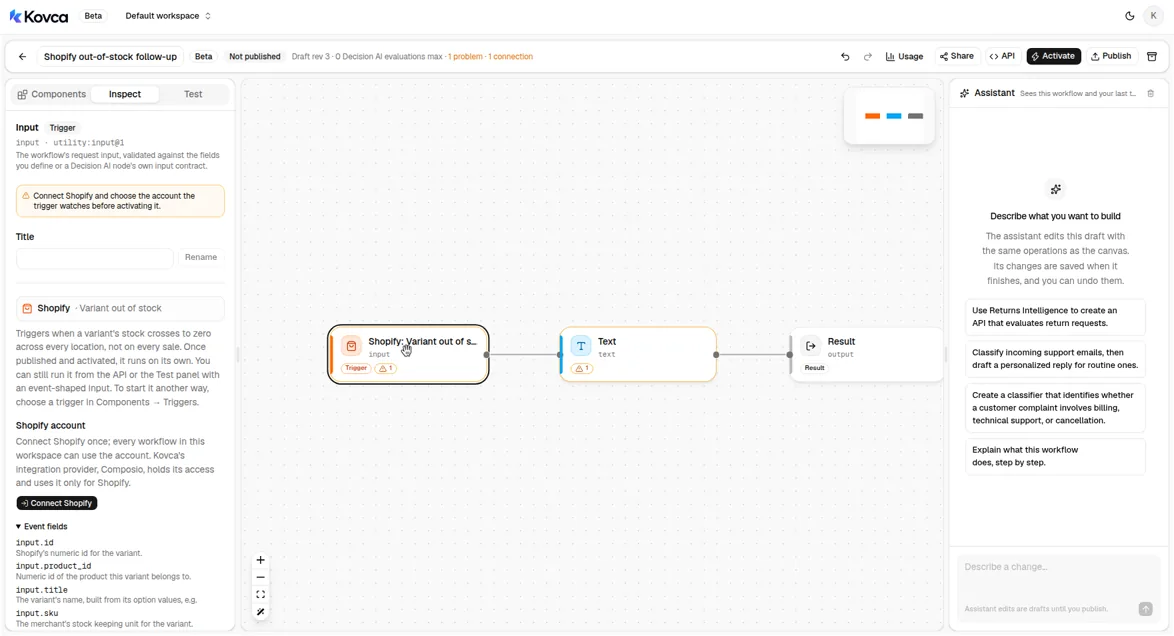 No Shopify account is selected. The trigger has no extra settings.
The trigger has no settings. Every variant whose stock crosses to zero across every location starts a run. It does not run on a sale that leaves stock above zero, and it does not run once per location.
Event fields later steps read:
| Field | Used for |
|---|---|
input.title | The request, the follow-up note, and the monitor note |
input.sku | The same |
input.price | The request, and the follow-up body |
input.inventory_quantity | The request. On this trigger it is 0. |
input.old_inventory_quantity | The request, the notes, and the follow-up body |
input.inventory_policy | The request, the notes, and the follow-up body. deny stops the sale. continue still sells. |
input.product_id | Product ID's text, and the follow-up body |
input.id | The variant id on the follow-up body |
The event also includes inventory_item_id. A manual run or an API call can omit fields. The policy reads whatever you send.
3Write the request the policy reads
Select Restock request. It builds one paragraph from the event. That paragraph is Policy Evaluation's description. The same fields are also mapped as facts, so a sentence can name the inventory policy, the title, or the SKU and the node has those values as facts, not only inside a paragraph.
A variant went out of stock across every location. Variant: {{input.title}}. SKU: {{input.sku}}. Price: {{input.price}}. Units before: {{input.old_inventory_quantity}}. Units now: {{input.inventory_quantity}}. Inventory policy: {{input.inventory_policy}}.4Write your restock policy
Select Policy Evaluation. The description comes from Restock request. The facts come from the event. The policy is a fixed value, so the rules live in the workflow.
{
  "id": "restock-policy",
  "version": "1",
  "text": "A restock follow-up may proceed when the variant's inventory policy is deny and neither the title nor the SKU marks the item as discontinued, seasonal, sample, or final sale. A variant whose inventory policy is continue cannot have a restock follow-up opened, because the store still sells it after zero stock. A variant whose title or SKU marks it as discontinued, seasonal, sample, or final sale requires approval before a restock follow-up is opened."
}
The node splits that text into rules and returns a decision and a suggested_action. suggested_action is proceed, reject, request_information, request_approval, or manual_review. Rewrite the sentences in your own words. Keep each rule one sentence.
The template's three sentences say:
- A follow-up may proceed when the inventory policy is
denyand the title and SKU do not mark the item as discontinued, seasonal, sample, or final sale. - A variant whose inventory policy is
continuecannot have a follow-up opened, because the store still sells it after zero. - A title or SKU that marks the item as discontinued, seasonal, sample, or final sale requires approval before a follow-up is opened.
The node does not look up your seasons or a discontinued list. If those words are not in the title or the SKU, and you do not map them as facts, that third sentence has nothing to go on. Put the words you actually use into the title or SKU, or add a fact of your own.
5Open a follow-up only when the policy says proceed
Select Open follow-up?. The switch reads nodes.policy.output.suggested_action. The follow_up case matches proceed. Every other action takes default, including reject, request_approval, request_information, and manual_review.
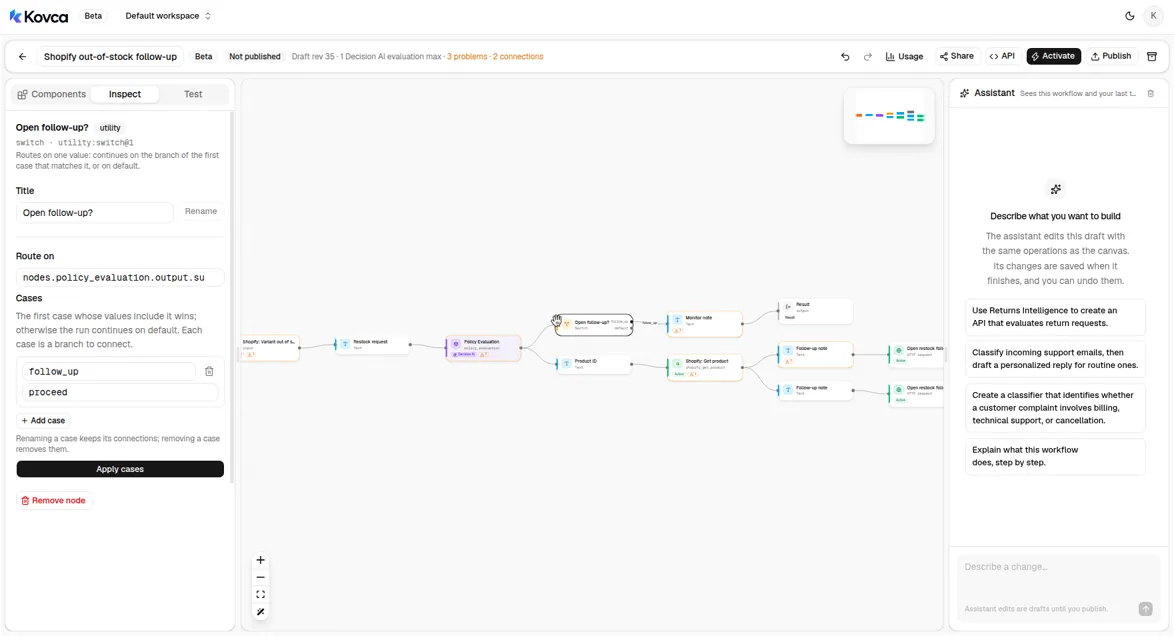 proceed goes to Product ID. Every other suggested action goes to Monitor note.
request_approval does not open a follow-up in this template. A seasonal or final-sale variant stays on the monitor branch until you add a case for it. An expected sell-out, and anything the node is unsure about, does not create a restock task on its own.
6Look up the product
Product ID and Get product sit on the follow_up branch. A variant you are only monitoring does not call Shopify again.
Get product's Product ID is text. The event's product_id is a number. Product ID is that number written as text.
{{input.product_id}}Get product is Shopify's Get product action.
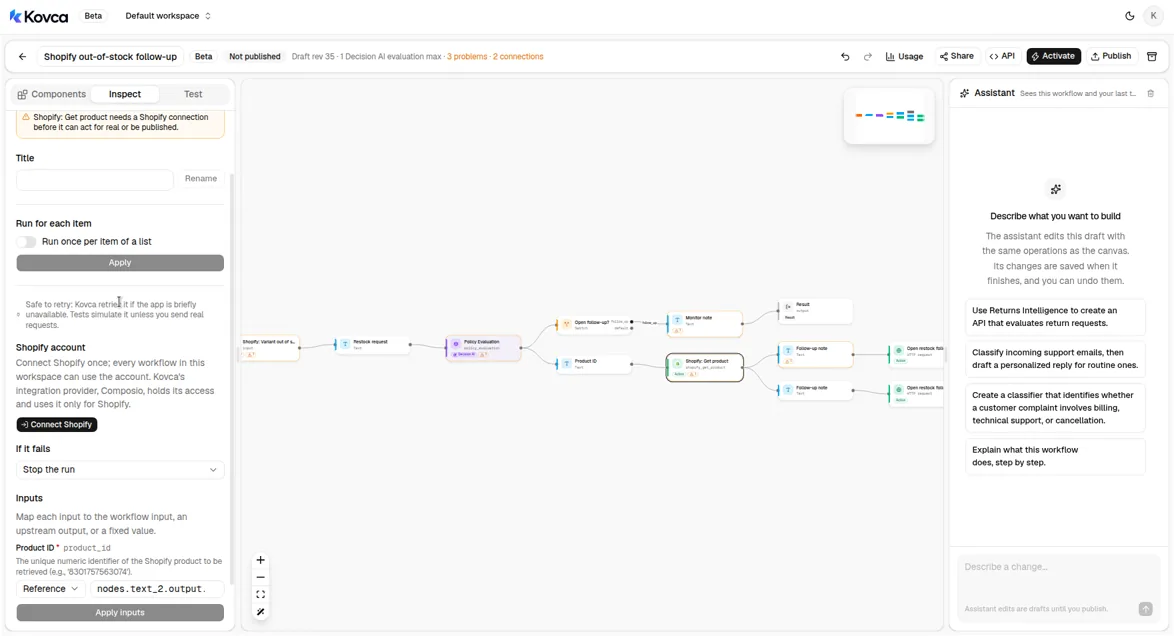 Product ID is mapped from the text step. No Shopify account is selected.
| Get product field | Value |
|---|---|
Product ID (product_id) | nodes.product_id.output.text |
Leave On error at fail. If the product can't be loaded, the run fails and the follow-up is not posted. Get product is safe to retry. Choose the Shopify account on this step before you publish. Studio tests simulate it and return the sample: ok: true and an empty result. Nothing is loaded from your store until you turn on Send real requests.
The follow-up sends that result as product. It is the product record Shopify returned. This guide does not name fields inside it.
7Open the restock follow-up
Follow-up note is the line for your team.
Restock {{input.sku}} ({{input.title}}). Stock went from {{input.old_inventory_quantity}} to {{input.inventory_quantity}}. Inventory policy: {{input.inventory_policy}}.Open restock follow-up posts that note with the variant and the product lookup.
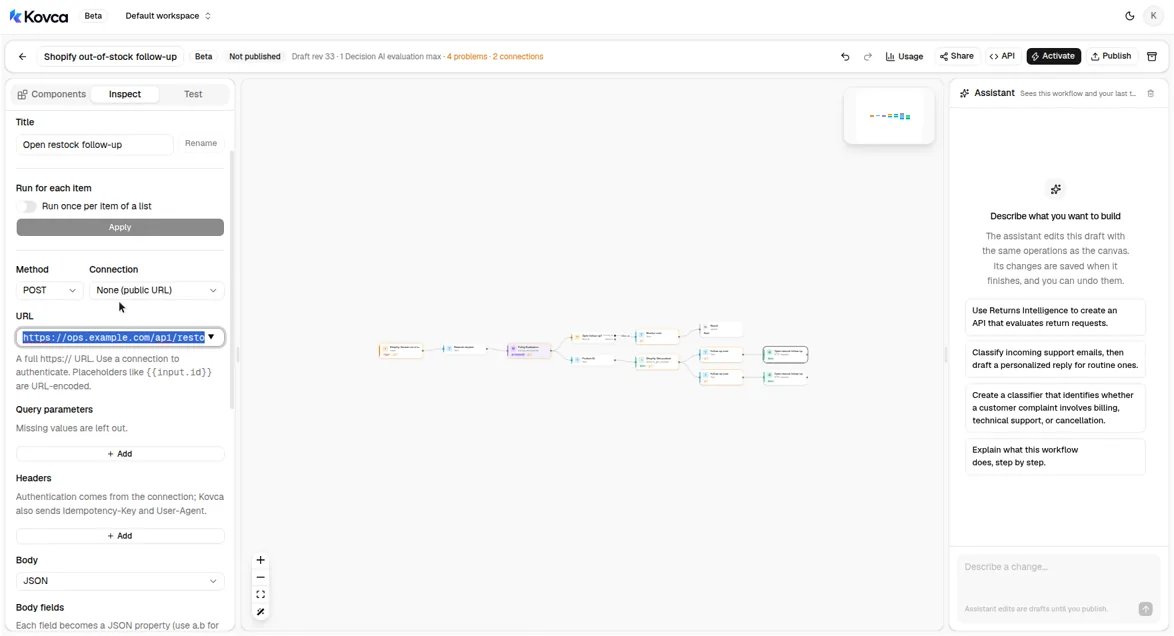 POST to the ops URL. The body is JSON.
- Choose a Connection, or create one from the inspector. A connection holds the base URL and credentials (a bearer token, an API key header, basic auth, or a secret URL). With a connection, the URL becomes a path such as
/api/restocks. - Change the Body fields to the names your tool expects. The template sends
sku,title,variant_id,product_id,price,inventory_policy,inventory_quantity,old_inventory_quantity,decision,suggested_action,note, andproduct. - Paste a real response into Sample response. Studio tests return it instead of calling the API, and the output reads
body.idasfollow_up_id. The template's sample is{ "id": "RST-1042" }with status 201. - Leave On error at fail. If the follow-up can't be created, the run fails and you find out.
Every request carries an Idempotency-Key that stays the same across retries of that step in that run. POST requests are only retried when you turn that on for the step.
8Leave a monitor note for everything else
Monitor note is the other branch. The output returns it as monitor_note. Nothing is posted to your ops tool.
Monitor {{input.sku}} ({{input.title}}). No restock follow-up. Inventory policy: {{input.inventory_policy}}.You can copy the line into the channel your team already watches. Slack is not in the template, so activating does not ask you to connect Slack. To post the line, add Send message under Actions → Slack (action:slack/send_message@1) after Monitor note, and map the message to nodes.monitor.output.text. Skip this if the note in the run output is enough.
9Test it
Open the Test tab. The template's examples are listed above the input. Leave Send real requests off. Get product returns its sample, and the HTTP step returns its sample. Nothing is sent to Shopify or to your ops tool.
Run Last unit, deny for a variant whose inventory policy is deny, and Still selling for one whose policy is continue and whose title says final sale. What Policy Evaluation returns depends on the sentences and the facts. A proceed result takes Open restock follow-up. Any other suggested action takes Monitor note. Steps that aren't on the path are skipped.
Before you activate, run a stack of real out-of-stock variants, including ones you meant to sell out and ones you would restock. When the routes look right, turn on Send real requests once, with the ops connection in place and the Shopify account chosen, to check those calls.
Publish, call it, and activate it
The same workflow can be called over the API. The body uses the trigger's field names. Create an API key under API keys and keep it on your backend.
curl https://kovca.io/api/v1/workflows/wf_.../execute \
  -H "Authorization: Bearer $KOVCA_API_KEY" \
  -H "Content-Type: application/json" \
  -H "Idempotency-Key: 44123456789012" \
  -d '{
    "input": {
      "id": 44123456789012,
      "product_id": 8123456789012,
      "title": "M / Navy",
      "sku": "MCS-M-NVY",
      "price": "89.00",
      "inventory_item_id": 46123456789012,
      "inventory_quantity": 0,
      "old_inventory_quantity": 1,
      "inventory_policy": "deny"
    }
  }'
A run where Policy Evaluation returns proceed takes the follow-up path. Get product's simulated result is an empty object, and the follow-up id is the template's sample. Monitor note is skipped. The note below is Follow-up note filled in from that input. What the node returns for a given variant depends on the sentences and the facts, so run your own examples before you treat a route as settled.
{
  "request_id": "req_...",
  "run_id": "run_...",
  "workflow": { "id": "wf_...", "version": 1 },
  "status": "succeeded",
  "output": {
    "decision": "compliant",
    "suggested_action": "proceed",
    "route": "follow_up",
    "product_ok": true,
    "follow_up_id": "RST-1042",
    "follow_up_note": "Restock MCS-M-NVY (M / Navy). Stock went from 1 to 0. Inventory policy: deny.",
    "monitor_note": null
  },
  "steps": [
    { "id": "input", "status": "succeeded" },
    { "id": "request", "status": "succeeded" },
    { "id": "policy", "status": "succeeded" },
    { "id": "route", "status": "succeeded" },
    { "id": "product_id", "status": "succeeded" },
    { "id": "product", "status": "succeeded" },
    { "id": "note", "status": "succeeded" },
    { "id": "open", "status": "succeeded", "http_status": 201 },
    { "id": "monitor", "status": "skipped", "reason": "branch_not_taken" },
    { "id": "output", "status": "succeeded" }
  ],
  "evaluations": 1
}
Use the variant id as the Idempotency-Key. A retry returns the original run instead of opening a second follow-up. Kovca does not store the event or the output, so keep the response from the first call. Values from steps that didn't run come back as null.
To run it from the store, open Activate. The checklist is what's left: connect Shopify, choose that account on the trigger and on Get product, and point Open restock follow-up at your ops tool. Publishing asks for the Shopify account on Get product, because that step can run for real. Publish & activate publishes the draft and starts it. A live automation runs that pinned version. Later edits don't reach it until you choose Publish & update.
You sign in on Shopify's page. Composio holds the store access and uses it for Shopify. Kovca keeps an ID for the account. The template does not store a store. Until Kovca's Shopify app has public distribution, only a development store, or a store the app is already installed on, can connect.
A variant whose stock crosses to zero across every location starts a run. Follow runs in Executions. While an automation is paused, events that arrive are skipped. A failed run is not retried on its own, because the follow-up may already have been posted.
If someone already checks stock
You don't need this if a person can read the weekly inventory export, or a saved view of variants at zero, and the list is short. That's a fair setup when sell-outs are rare and someone already owns the check.
What the workflow adds is the same restock sentences on every variant that hits zero, a follow-up only when those sentences say to proceed, and a monitor note for the rest. You still choose the Shopify account, point Open restock follow-up at a real tool, and read a sample of results before you activate it.
Make it yours
- Send seasonal items to a person. The template leaves
request_approvalon the monitor branch. Add a case for it if those variants should open a review task instead of a note. - Let the policy see the product. The event does not include product type or status. Get product's result is on the follow-up only, and it is a free-form record. If you want the policy to read a status or a type, add a Generative AI step that copies the fields you name out of
nodes.product.output.result, and map those fields as facts. Put that step where Get product has already run. - Post the note. The monitor and follow-up lines are there for Slack Send message (
action:slack/send_message@1). Map the message to the text step on that branch. - Close the loop when stock returns. Shopify also has Variant back in stock (
shopify/variant_back_in_stock), with the same event fields. That is a separate workflow. This one does not start when stock comes back. - Change it without surprising a live store. Edit the draft and use Publish & update. The running version stays pinned until you do.
What it costs
Credits, and only for steps that succeed. Studio tests are free, and simulated actions are free.
- The run: 10 credits when a Shopify event starts it, 1 credit when the API starts it.
- Policy Evaluation: 5 credits.
- Get product: 2 credits when it runs for real, and only on the follow-up branch.
- Open restock follow-up: 1 credit when the HTTP request runs for real.
- Slack Send message, if you add it: 2 credits when it runs for real.
The switch and the text steps are free. A branch that doesn't run isn't charged. The Activate panel adds every step together, including steps on branches that can't run in the same event, so its number is an upper bound. With this template that upper bound is 18 credits per event. The response's credits field is the run's total. See billing, the workflows API, HTTP actions, and automations.