

Sort subscription cancellation requests and send each to the right next step
Build a Kovca workflow that reads a cancellation request, checks it against the policy you write, then cancels, offers a pause, or opens a review ticket.
Most cancellation requests are simple: "Please cancel, I don't need this anymore." Some aren't. "You charged me twice" is a billing problem, and "the export has been broken for a week" is a bug report. A few are really "I'm traveling for two months", where a pause would keep the customer. The simple ones wait in the same queue as the tricky ones.
This guide builds a workflow that reads the request, checks it against a cancellation policy you write, and takes one next step: cancel the subscription, reply with a pause offer, or open a ticket. You'll start from a template, test two very different requests, and publish it as an API your account page calls.
What you'll build
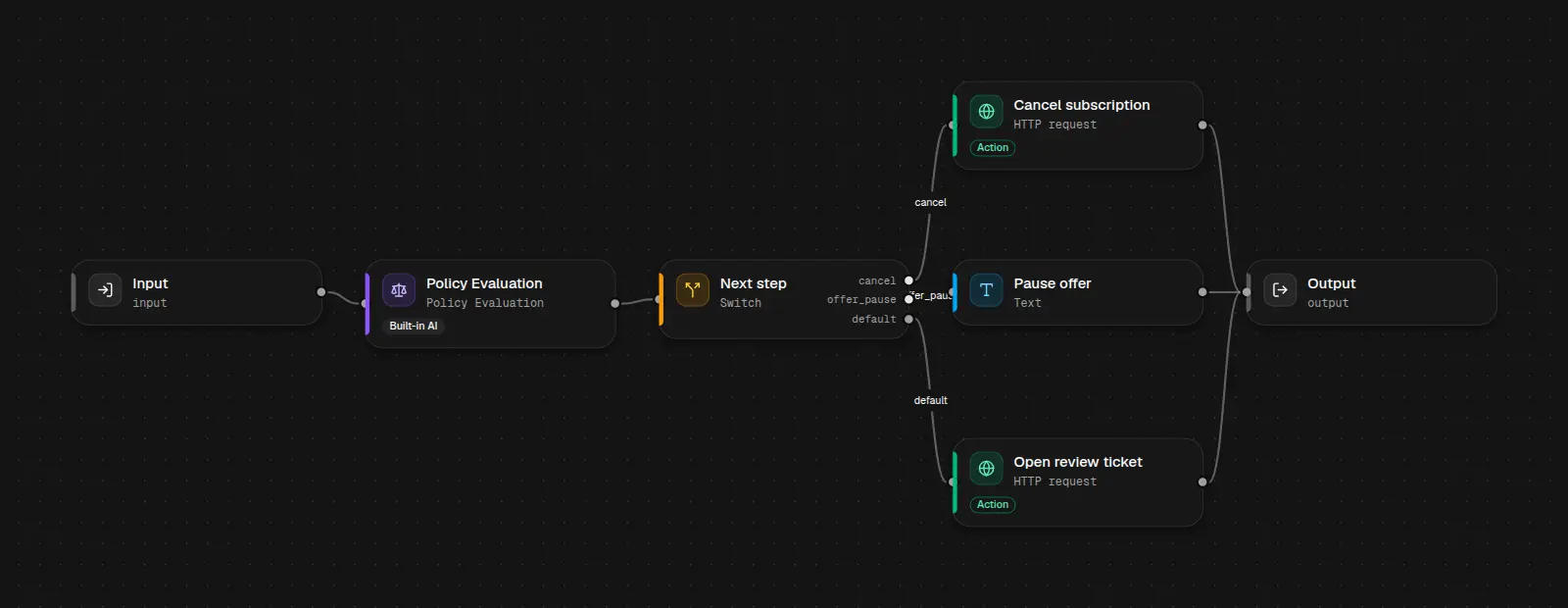 Check the request against your policy, switch on the suggested action, then cancel, offer a pause, or open a ticket.
| Step | Node | What it does |
|---|---|---|
| Input | Input | Accepts customer_message, plan_name, and subscription_id. |
| Policy Evaluation | Policy Evaluation | Checks the message against your cancellation policy and returns decision and suggested_action. |
| Next step | Switch | Routes on suggested_action: cancel, offer_pause, or default. |
| Cancel subscription | HTTP request | Cancels the subscription in your billing system. |
| Pause offer | Text | Writes a reply offering a pause instead. |
| Open review ticket | HTTP request | Opens a help desk ticket with the decision and the message. |
| Output | Output | Returns the route, the decision, and the cancellation, reply, or ticket. |
Only Policy Evaluation calls a model. The switch, text, and HTTP steps are free, so each request costs one evaluation. The template uses that built-in node because a template can't carry an Intelligence Node from your workspace. If you want your own reason labels later, see Intelligence Nodes.
Build it in the Studio
1Start from the template
Click Use this template above, or open Cancellation sorting in Workflows.
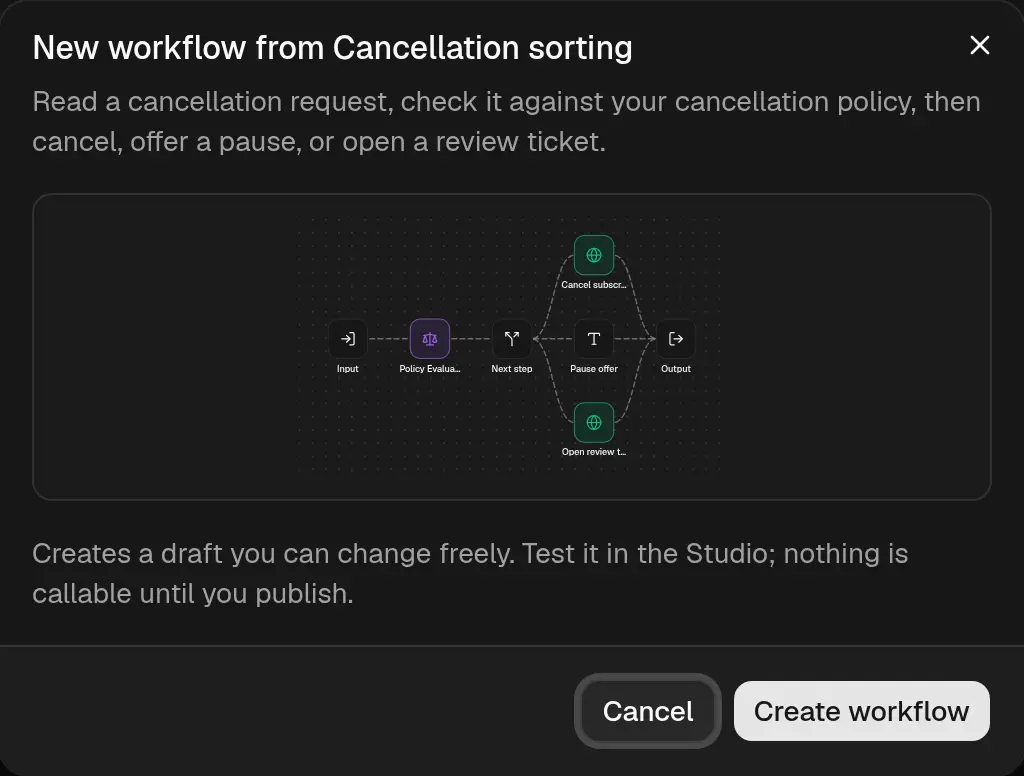 The template opens as a draft you can change. Nothing is callable until you publish.
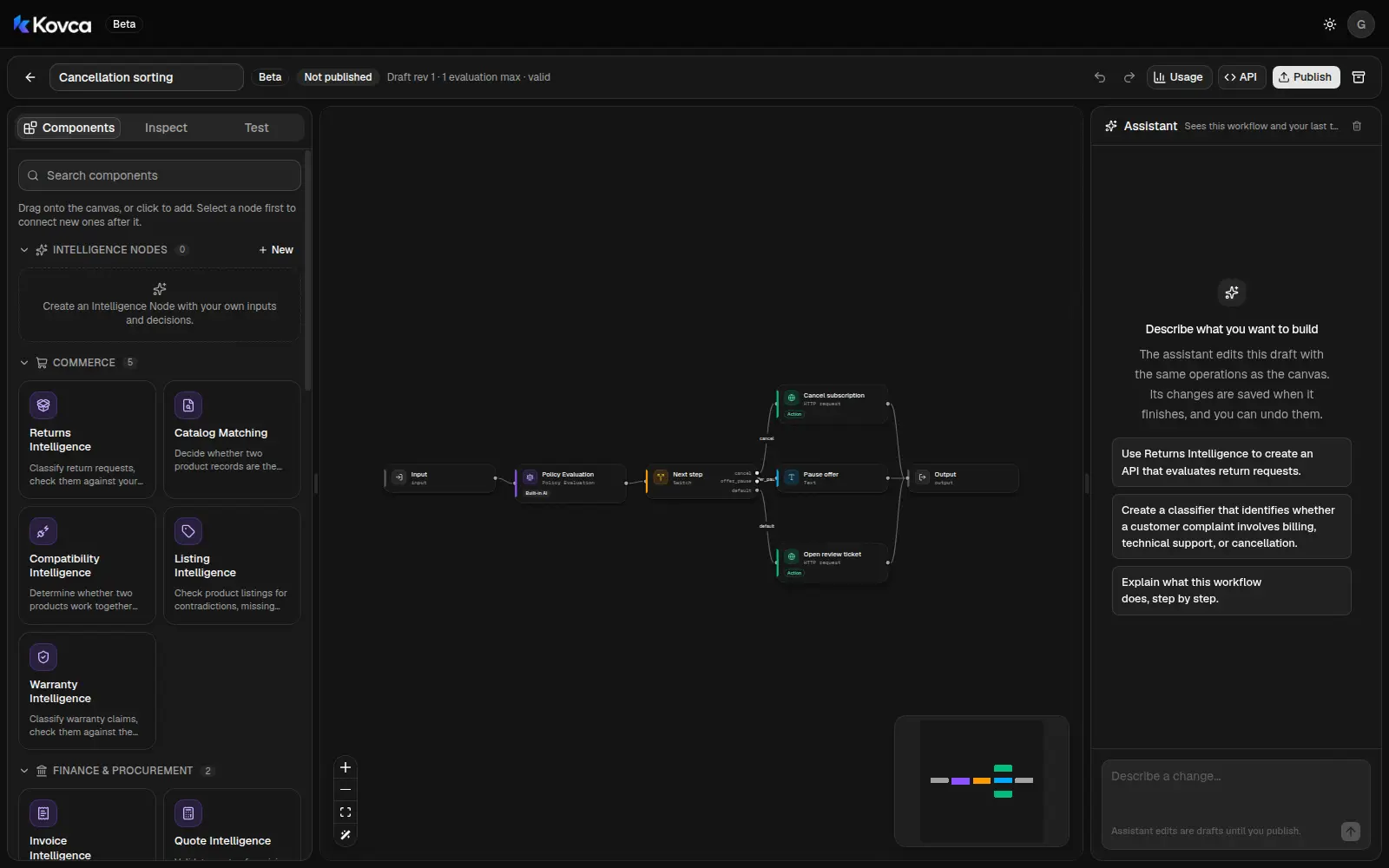
2Write your cancellation policy
Select Policy Evaluation. The customer's message, plan, and subscription id come from the workflow input. The policy is a fixed value, so the rules live in the workflow, not in your code.
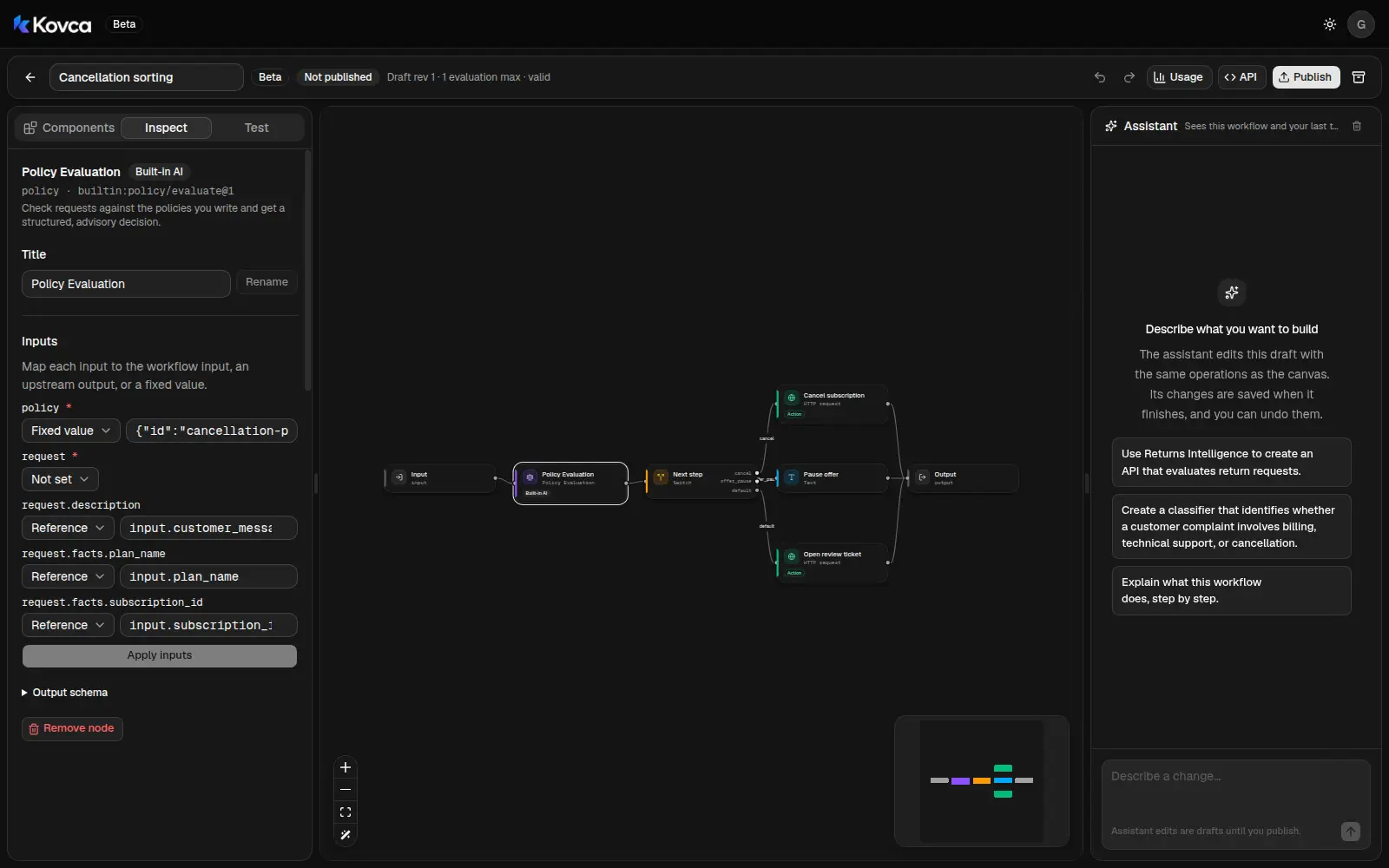 The message is the request. The policy text is a fixed value you can edit.
{
  "id": "cancellation-policy",
  "version": "1",
  "text": "A cancellation may proceed when the customer clearly wants to stop and describes no billing problem, refund, or broken feature. A customer who will be away, busy, or not using the service for a while requires approval before cancellation, so a pause can be offered instead. A request that reports a billing problem, a double charge, a refund, or a broken feature cannot be cancelled until a person has reviewed it."
}
The node splits that text into rules and returns a decision plus a suggested_action: proceed, reject, request_information, request_approval, or manual_review. Rewrite the sentences in your own words. Keep each rule one sentence. Say "cannot" when something must not be cancelled automatically, and "requires approval" when a pause should be offered first.
3Route on the suggested action
Select Next step. The switch reads nodes.policy.output.suggested_action and continues on the first case that lists it.
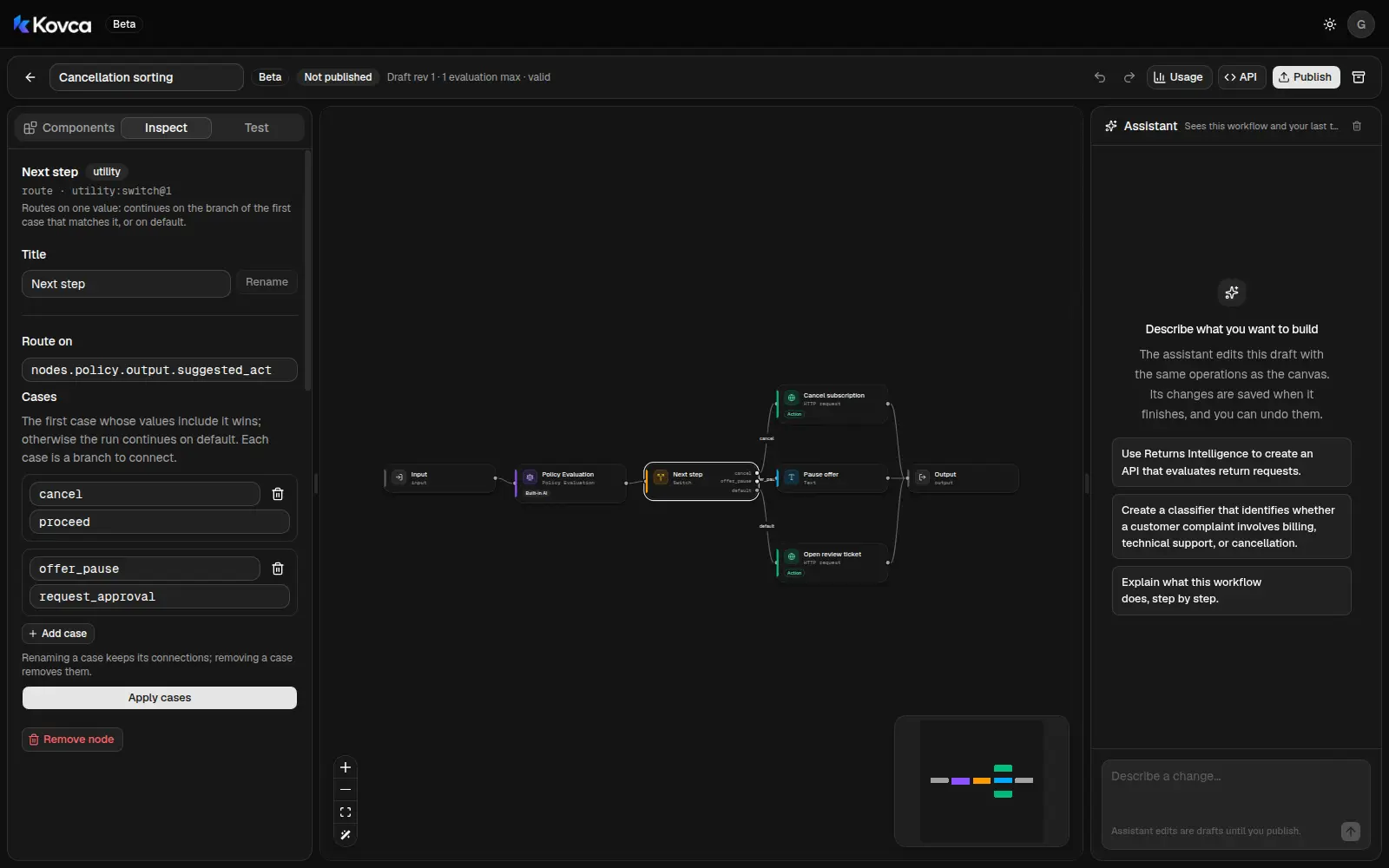 proceed cancels. request_approval offers a pause. Everything else opens a ticket.
| Case | Matches | Goes to |
|---|---|---|
cancel | proceed | Cancel subscription |
offer_pause | request_approval | Pause offer |
default | manual_review, reject, request_information | Open review ticket |
Anything else goes to a person. Add a case later if you want reject handled on its own.
4Connect your billing system and help desk
Select Cancel subscription.
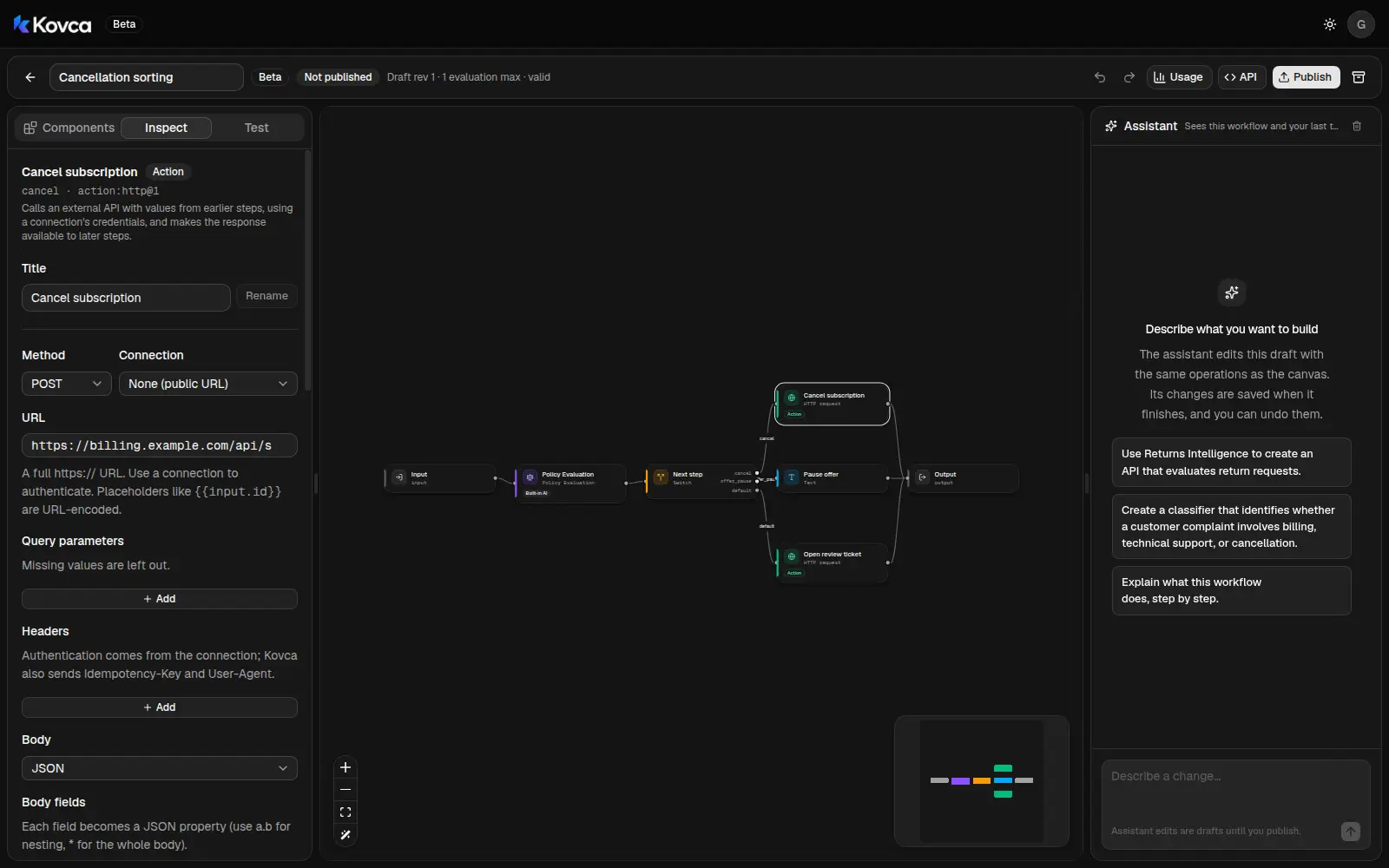 The path includes the subscription id. Body fields become the JSON request.
- Choose a Connection with your billing system's base URL and API key. The key is sent only to that host.
- Change the path and Body fields to what your billing system expects. The template puts
subscription_idin the path. - Paste a real response into Sample response. The output reads
body.idascancellation_id.
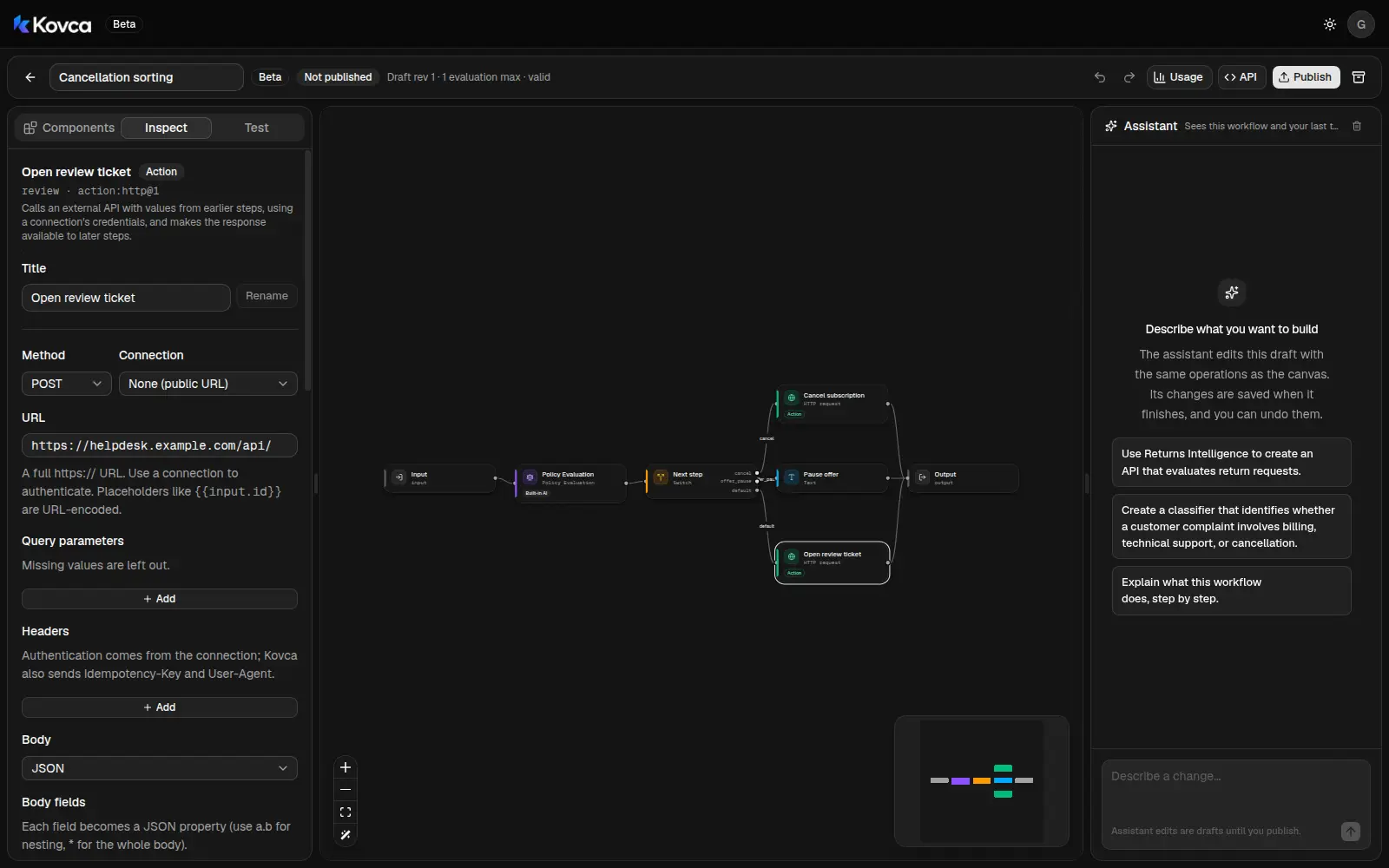
Open review ticket works the same way against your help desk. It sends the customer's message with decision and suggested_action.
5Write the pause offer
Pause offer is a text step. The workflow returns it as customer_reply. Your account page can show it right away.
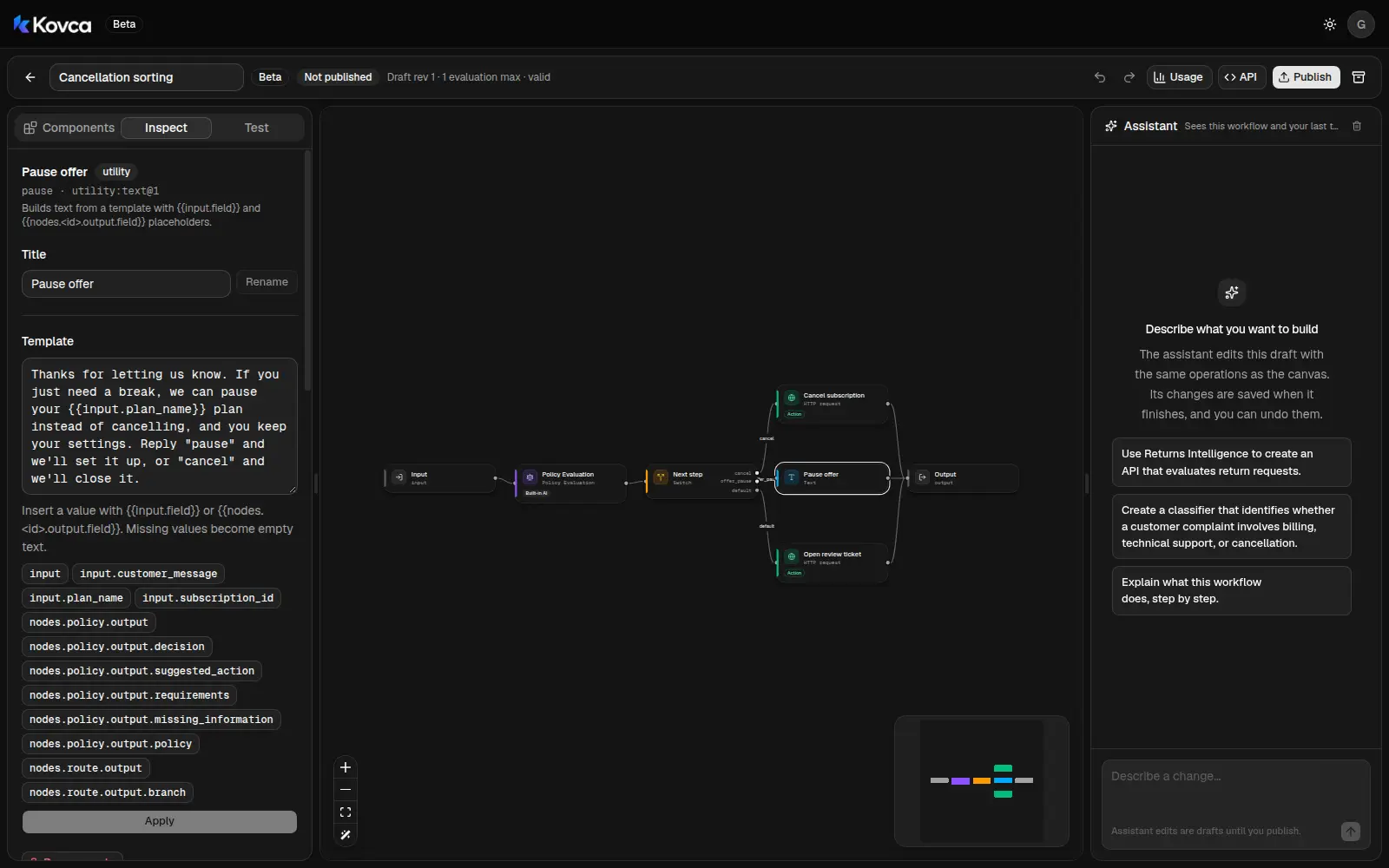
Thanks for letting us know. If you just need a break, we can pause your {{input.plan_name}} plan instead of cancelling, and you keep your settings. Reply "pause" and we'll set it up, or "cancel" and we'll close it.6Test it
Open the Test tab. HTTP steps return their sample responses until you turn on Send real requests.
Run Charged twice: "Cancel my account. You charged me twice this month and I want my money back." The "cannot be cancelled" rule applies, so the result is non_compliant with suggested action reject. The switch takes default and opens ticket T-5521. Cancel and pause are skipped.
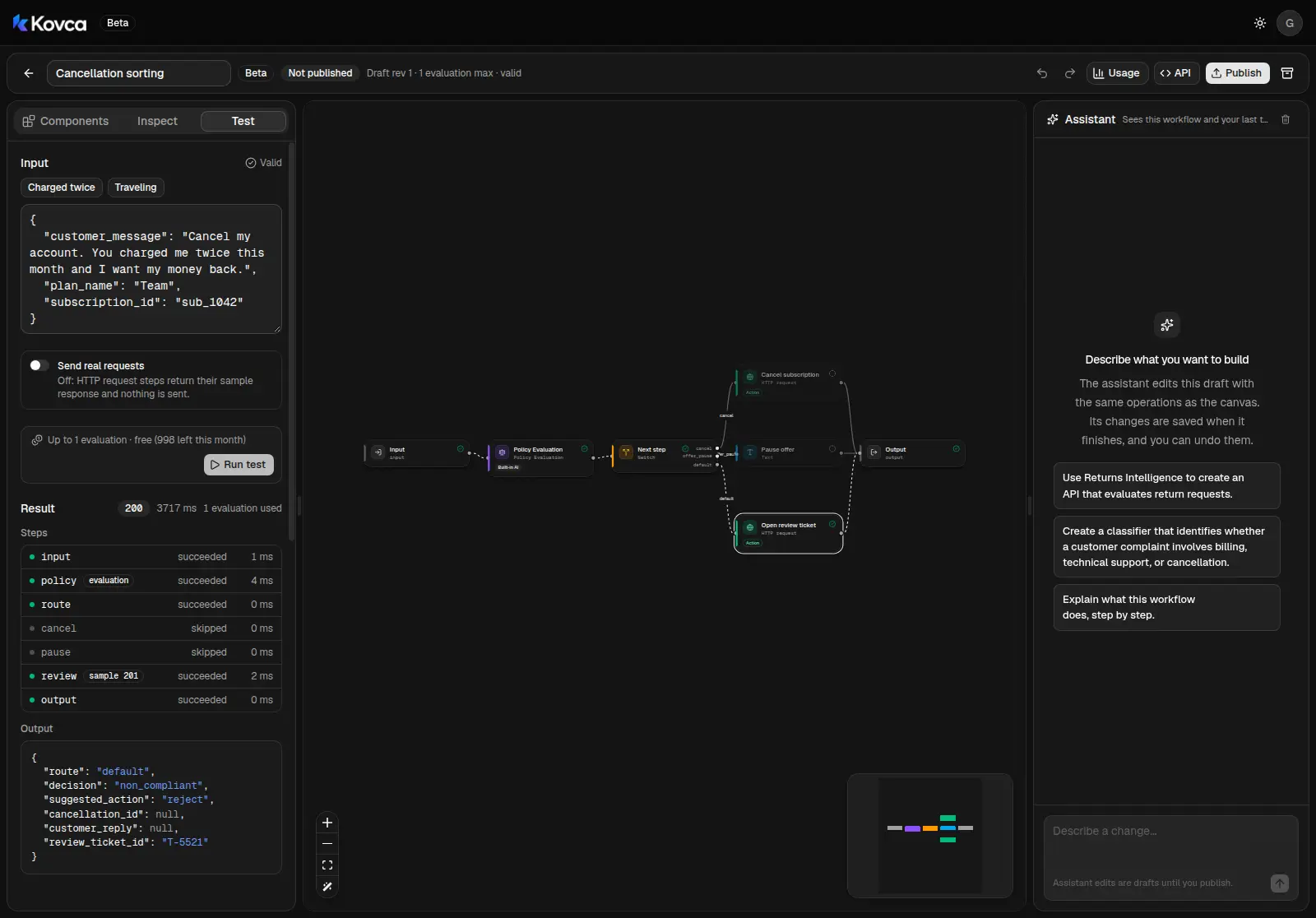 Route default: non_compliant, reject, review ticket T-5521. Cancel and pause are skipped.
Run Traveling: "I'm away for two months from next week, please cancel." The away rule needs approval, so the suggested action is request_approval, the switch takes offer_pause, and the reply is filled in with the plan name.
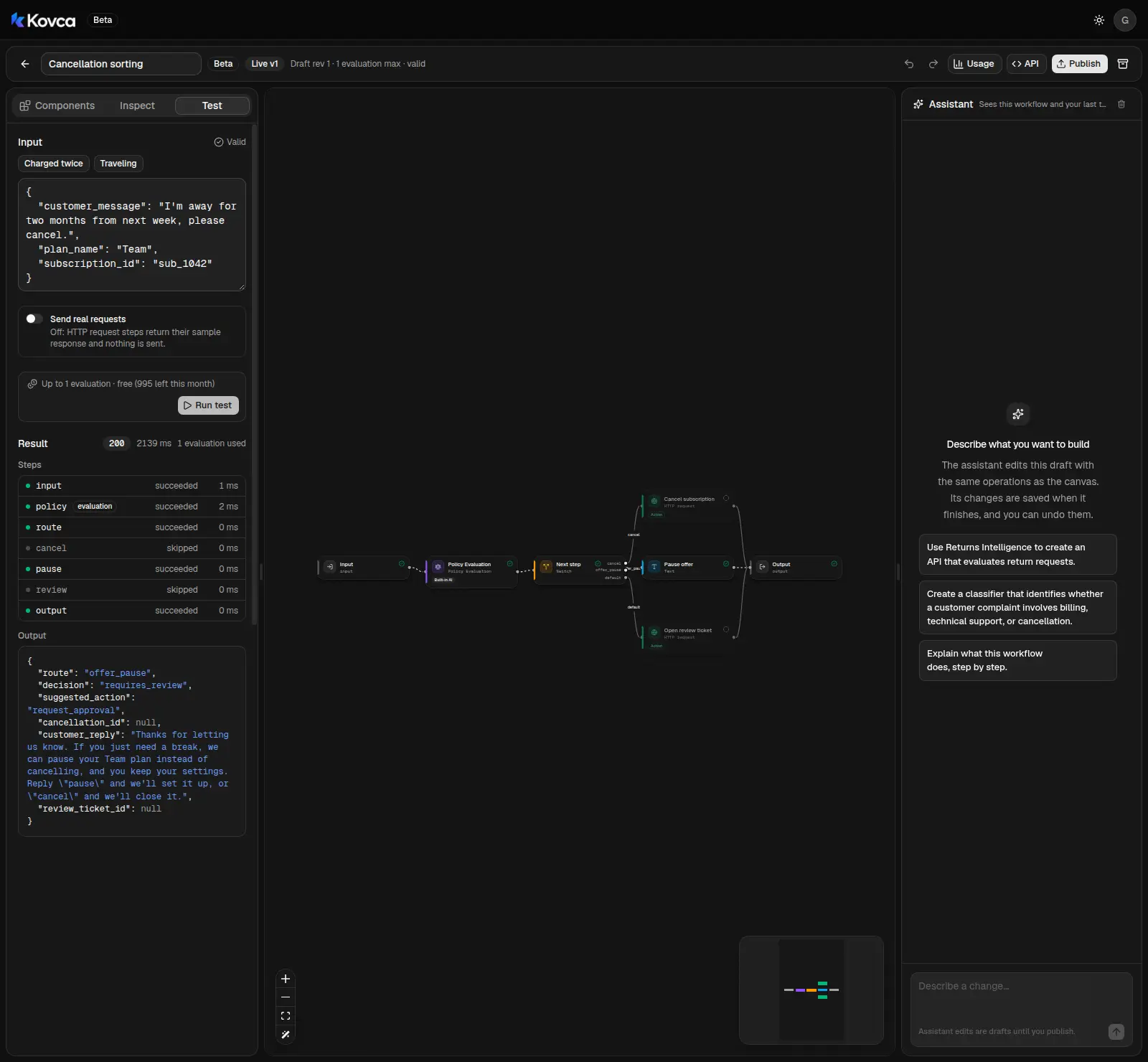 Route offer_pause: request_approval, and the reply names the Team plan. Cancel and the ticket are skipped.
Then run last month's requests, especially the ones your team saved or refunded, and compare. Edit the policy before you publish.
Publish and call it
Click Publish to freeze the draft as version 1.
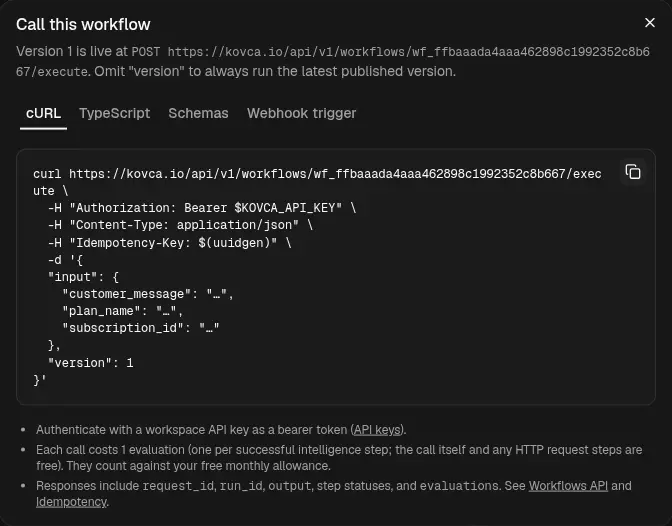
Create an API key under API keys and call the workflow from your backend when a customer submits a cancellation request. Never put the key in the browser.
curl https://kovca.io/api/v1/workflows/wf_.../execute \
  -H "Authorization: Bearer $KOVCA_API_KEY" \
  -H "Content-Type: application/json" \
  -H "Idempotency-Key: cancel-request-5521" \
  -d '{
    "input": {
      "customer_message": "I'\''m away for two months from next week, please cancel.",
      "plan_name": "Team",
      "subscription_id": "sub_1042"
    }
}'{
"request_id": "req_...",
"run_id": "run_...",
"workflow": { "id": "wf_...", "version": 1 },
"status": "succeeded",
"output": {
"route": "offer_pause",
"decision": "requires_review",
"suggested_action": "request_approval",
"cancellation_id": null,
"customer_reply": "Thanks for letting us know. If you just need a break, we can pause your Team plan instead of cancelling, and you keep your settings. Reply \"pause\" and we'll set it up, or \"cancel\" and we'll close it.",
"review_ticket_id": null
},
"steps": [
{ "id": "input", "status": "succeeded" },
{ "id": "policy", "status": "succeeded" },
{ "id": "route", "status": "succeeded" },
{ "id": "cancel", "status": "skipped", "reason": "branch_not_taken" },
{ "id": "pause", "status": "succeeded" },
{ "id": "review", "status": "skipped", "reason": "branch_not_taken" },
{ "id": "output", "status": "succeeded" }
],
"evaluations": 1
}Values from steps that didn't run come back as null. Use the cancellation request id as the Idempotency-Key so a retry returns the original run instead of cancelling twice.
Make it yours
- Offer a discount for price complaints. Add a sentence to the policy and a text step on its own case.
- Send product problems to your bug tracker. Point a copy of the review step at that API.
- Roll out in stages. Point Cancel subscription at a test endpoint and compare with your team before it cancels anything real.
- Use your own labels. Under Intelligence Nodes, choose New, publish the node, and swap it in for Policy Evaluation. Point the switch at its output.
What it costs
One evaluation per request, for Policy Evaluation. The switch, text, and HTTP steps are free, and branches that don't run aren't billed. See billing, the workflows API, and HTTP actions.